Configuration Data
Self-Service Customization Migration
Configuration Data
A high-impact tool that enables customers to autonomously migrate business related environment settings without the bottlenecks of standard software release cycles.
Customers needed a way to instantly move UI personalizations—such as stored views, themes, and layouts—between environments. Historically, these were a part of the ERP system architecture, and therefore these changes were locked behind a cumbersome, multi-day process requiring QAD Cloud Services to follow formal Software Development Life Cycle (SDLC) protocols.
Project Name: Configuration Data
My Role: Senior Product Designer/UX Design Lead
Company: QAD
Duration: 12 months
Team: Product Manager, Stakeholders, Architects, QAD Founder
Basics
3-5 day lead time
Mandatory Downtime
Requires QAD Services
Technical knowledge needed
What Changed, and Why It Mattered
The Problem
Customers were trapped in a "cumbersome" cycle, unable to move simple UI configurations (like layouts and themes) between environments without heavy QAD Cloud Services involvement and system downtime.
What I delivered
Unlocking Autonomy. I designed a self-service "Configuration Data" tool that allows non-technical users to package, export, and import environment settings instantly, bypassing the Software Development Life Cycle (SDLC) bottleneck.
Case Studies / Restricted Party Screening
Siobhan Duran
xx
Portfolio
My Responsibilities
Research
Conducted SME interviews, stakeholder sessions, and a competitive analysis of competitors like Oracle, SAP, and IBM.
Leadership
Developed high level architectural concepts to help organize the data so that it’s clear for customers.
Redesign
Created storyboards, technical terminology frameworks, high-fidelity Axure prototypes, and interactive mockups
Training
Developed a 23-minute functional training course for global rollout and partnered directly with foundational architects and the QAD founder.
Context: The SDLC Barrier & Legacy Pain Points
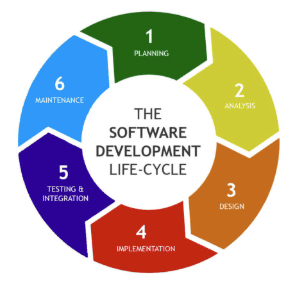
The Gatekeeper: Configurations had to be bundled into "QAD Apps," a technical system architecture requirement. This was necessary as a break in an app could break system architecture.
The Wait: Exchanges required QAD Cloud Services to follow formal SDLC processes, taking days for simple changes.
The Disruption: Customers experienced mandatory system downtime just to update a theme or a "Stored View."
User Quote: “A solution they had been long waiting for... easy and straightforward.” (Post-launch feedback)
Understanding User Roles · Storyboards
Research & Discovery
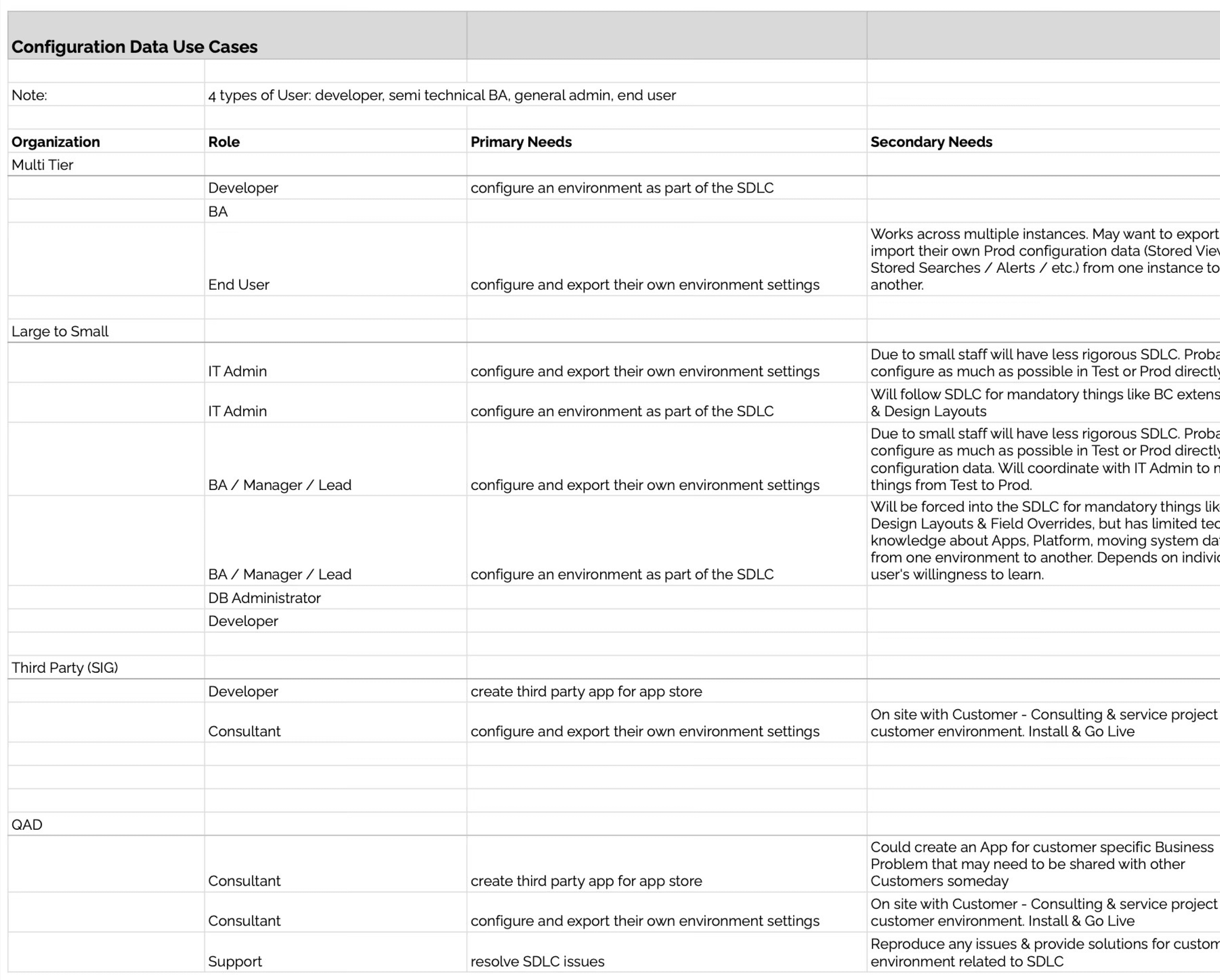
We interviewed customers to gain a better understanding of who would use this feature, and how our customers are currently managing their environment configuration processes.
Research & Discovery
Roles & Personas
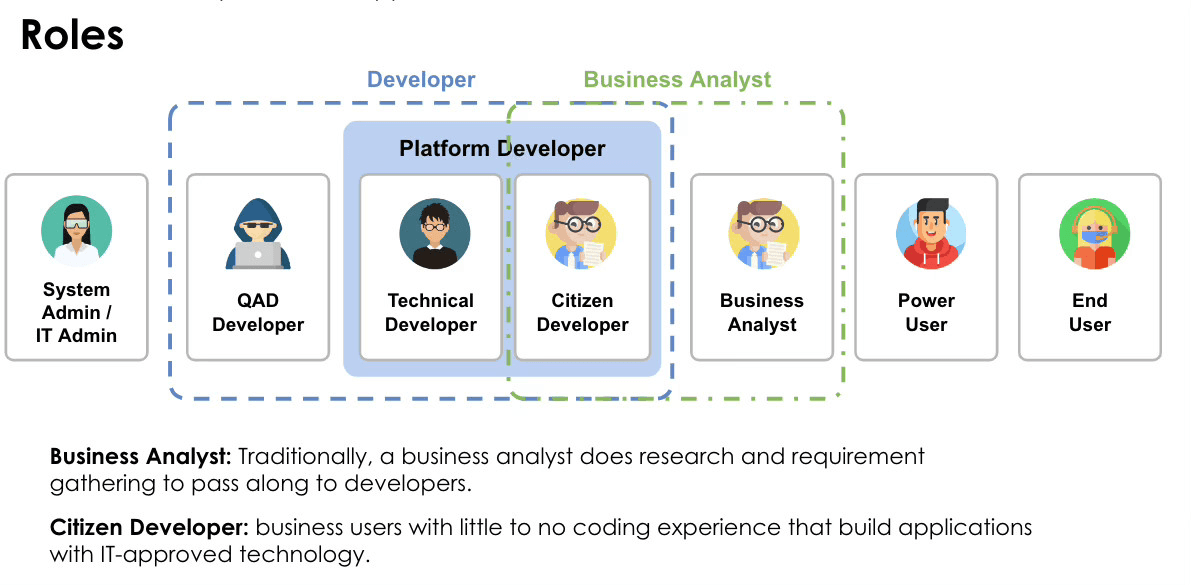
The Persona Gap:
Interviews with SMEs revealed we weren't just designing for devs. We needed to empower "Citizen Developers" (BAs) who had limited technical knowledge but owned the business logic.
Technology Confusion:
Users couldn't distinguish between "App Data" (technical extensions) and "Configuration Data" (business-specific UI tweaks).
Roles & Personas
Competitive Analysis
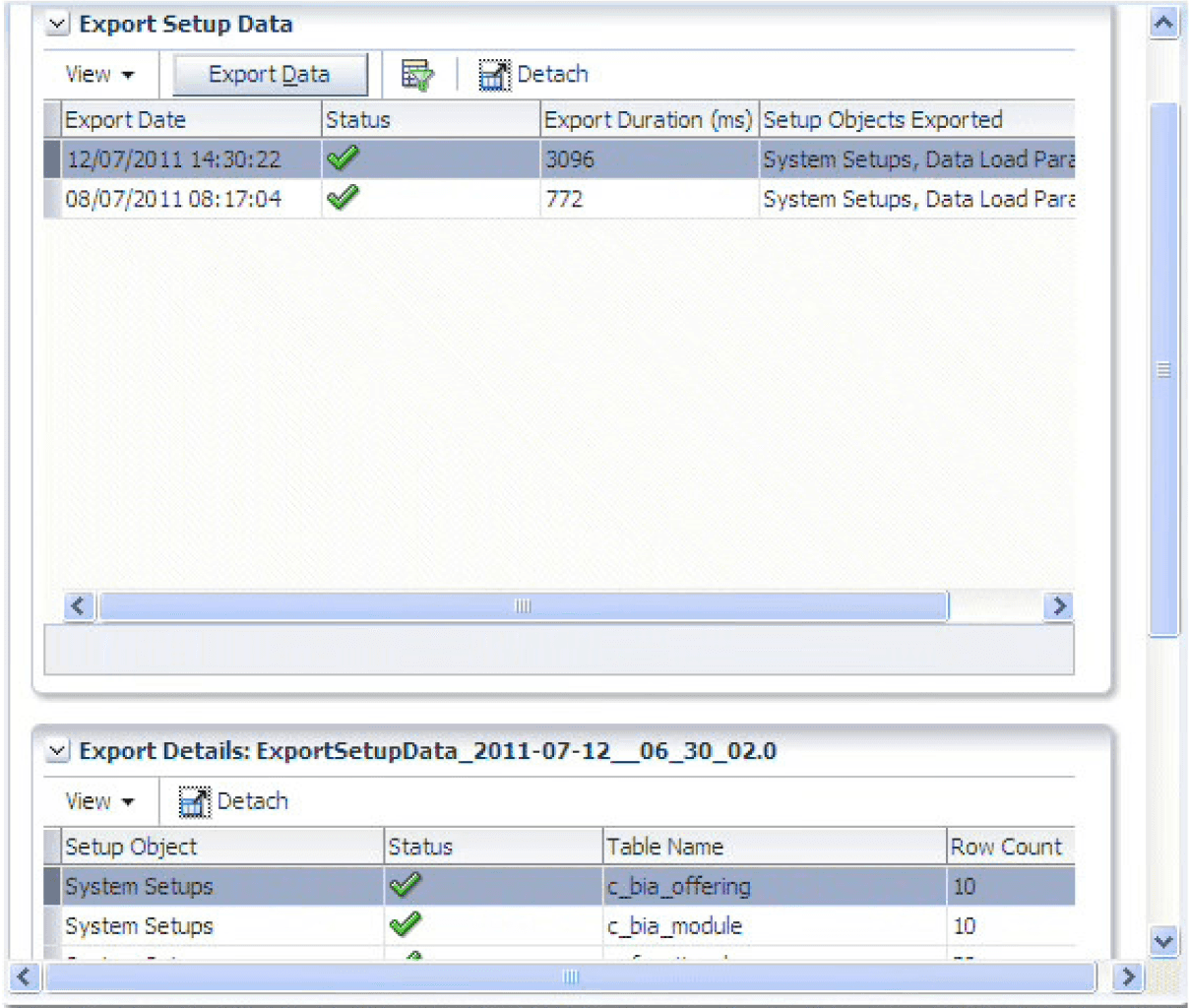
Oracle Data Setup Manager
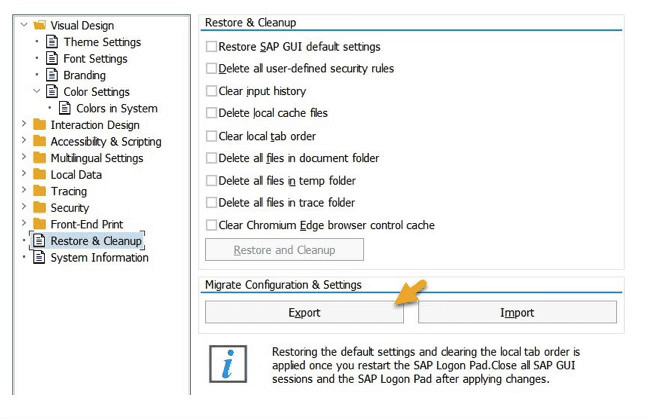
SAP
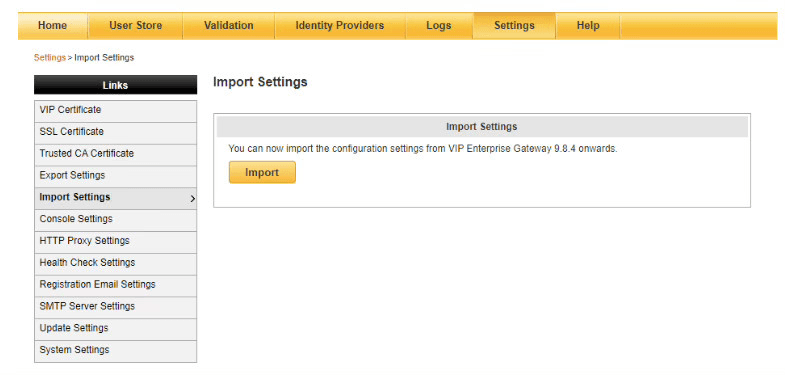
Symantec
Competitive Benchmark:
Following established patterns and standards here would help with mental models. Leaders like Oracle already used "Zip file" exports. This became our mental model for the "DIY" solution.
Storyboarding
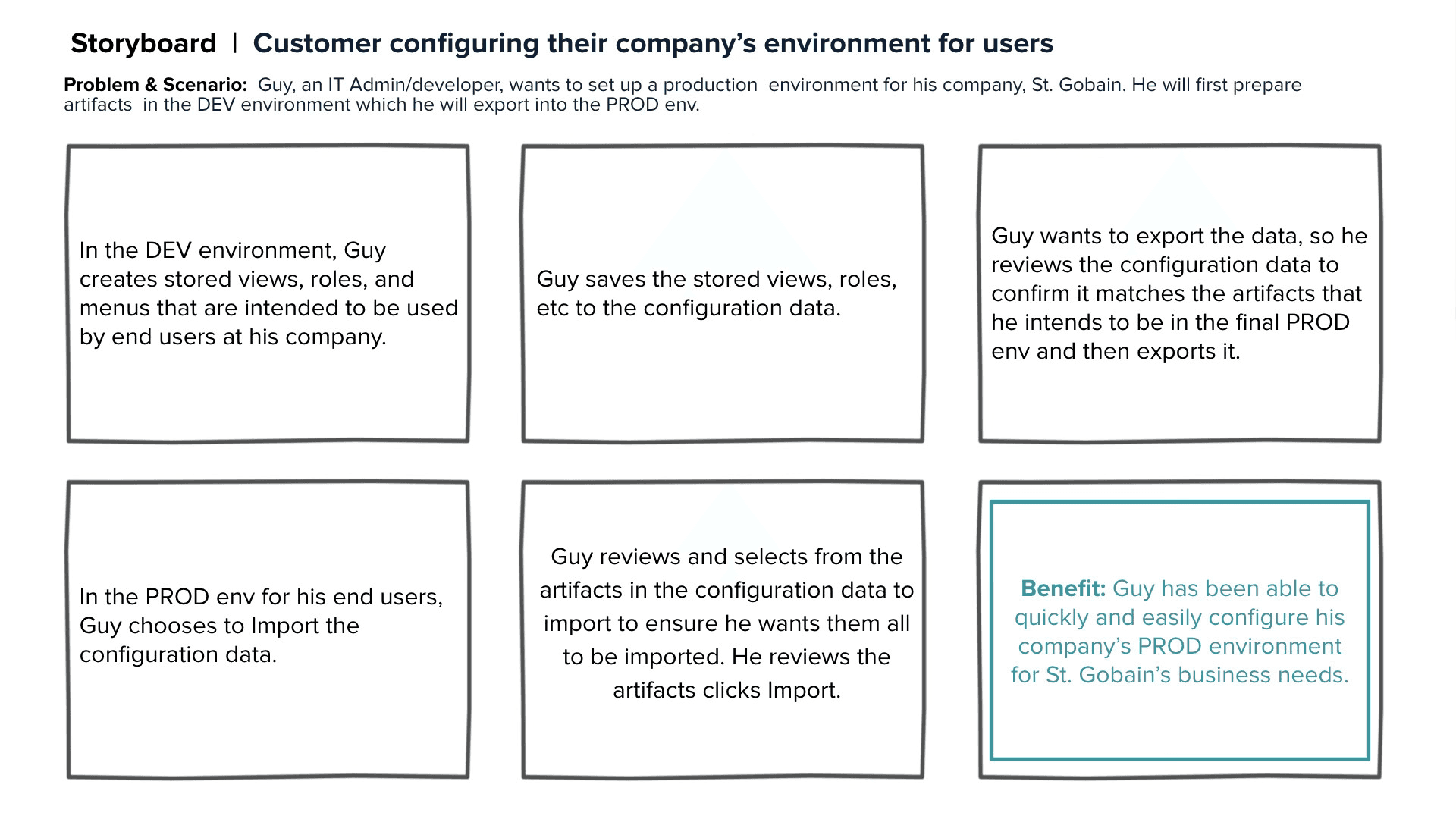
I used storyboards to bridge the gap between technical system logic and a human-centered "DIY" narrative for Business Analysts. This visual alignment allowed the QAD founder and architects to see the value in bypassing the SDLC bottleneck for simple UI tweaks. By mapping the end-to-end journey, I identified a critical user need to audit and "cherry-pick" specific artifacts rather than performing bulk imports. Ultimately, this validated the "Zip file" mental model as the most intuitive solution for non-technical users.
Challenges · Solutions
Strategic Design Decisions
I redefined the system's mental model by separating technical "App Data" from business-focused "Configuration Data." This abstraction protected non-technical users from the SDLC requirements of core system architecture, allowing them to focus strictly on configuring business needs like themes and layouts.
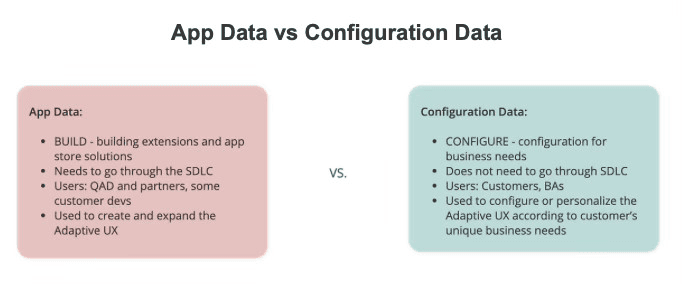
The Conceptual Shift
Abstracting Complexity
To simplify the mental model for non-technical users, I established a clear definition of an 'Artifact'—transforming abstract system data into tangible, manageable objects. By categorizing complex metadata into recognizable business entities like 'Themes' and 'Layouts,' I was able to bridge the gap between technical SDLC requirements and a user-friendly self-service workflow."
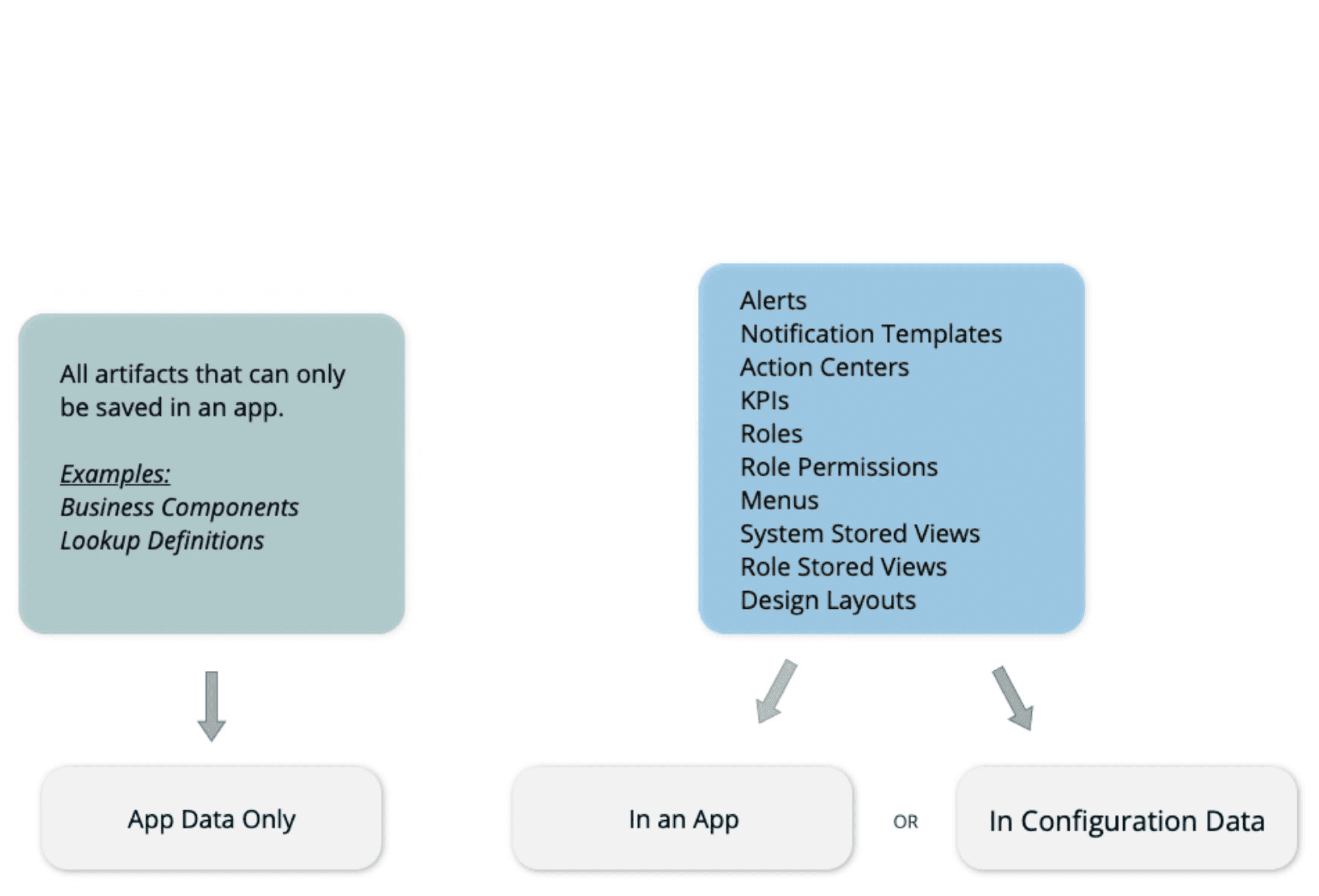
The Interface Solution
Standardizing the Workflow
I replaced a multi-day manual service request with a standardized, asynchronous "Export/Import" workflow that mirrors industry-standard zip-file patterns. By integrating "Contextual Differentiation" (metadata like Business Component and View) into the browse table, I ensured users could accurately identify and "cherry-pick" identical artifacts between environments with zero downtime.
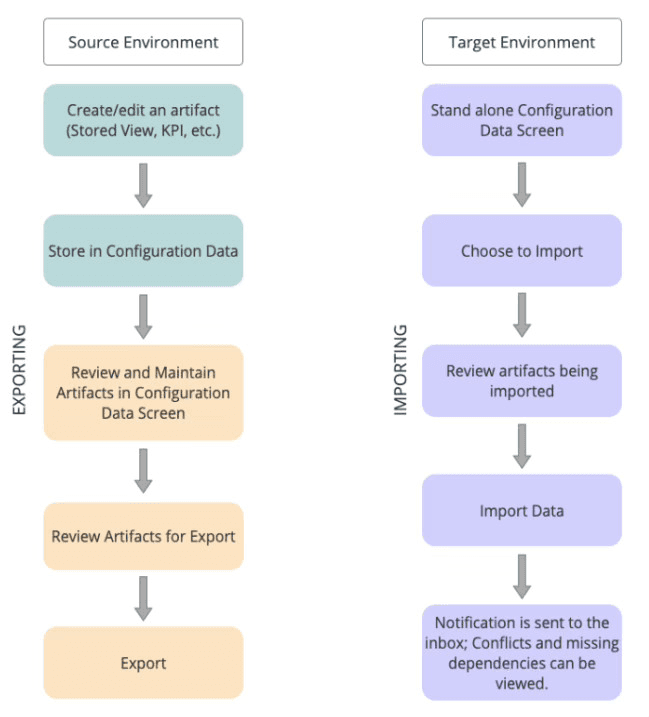
The Interface Solution
Standardizing the Workflow
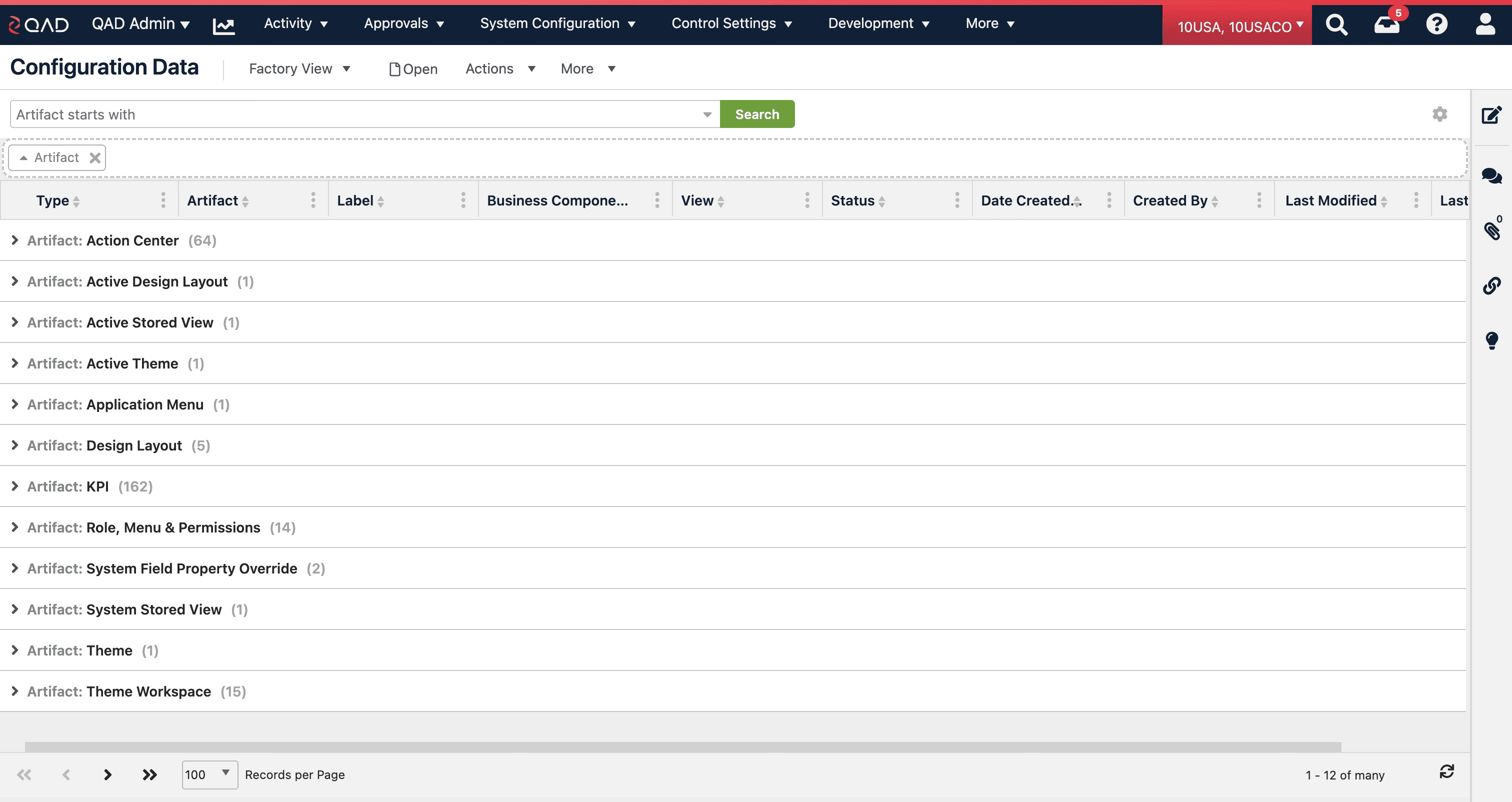
Configuration Data Feature
Configuration Data Screen
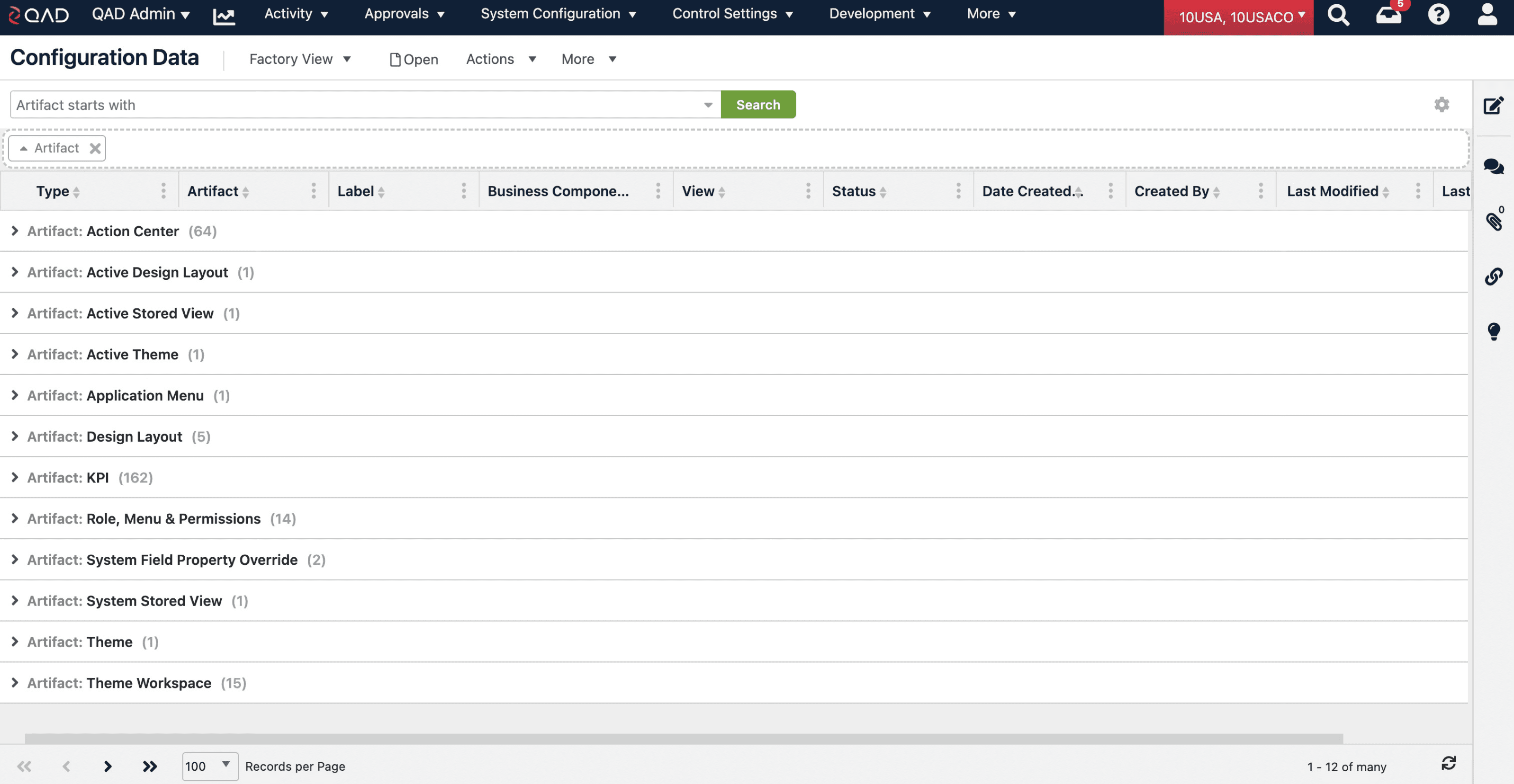
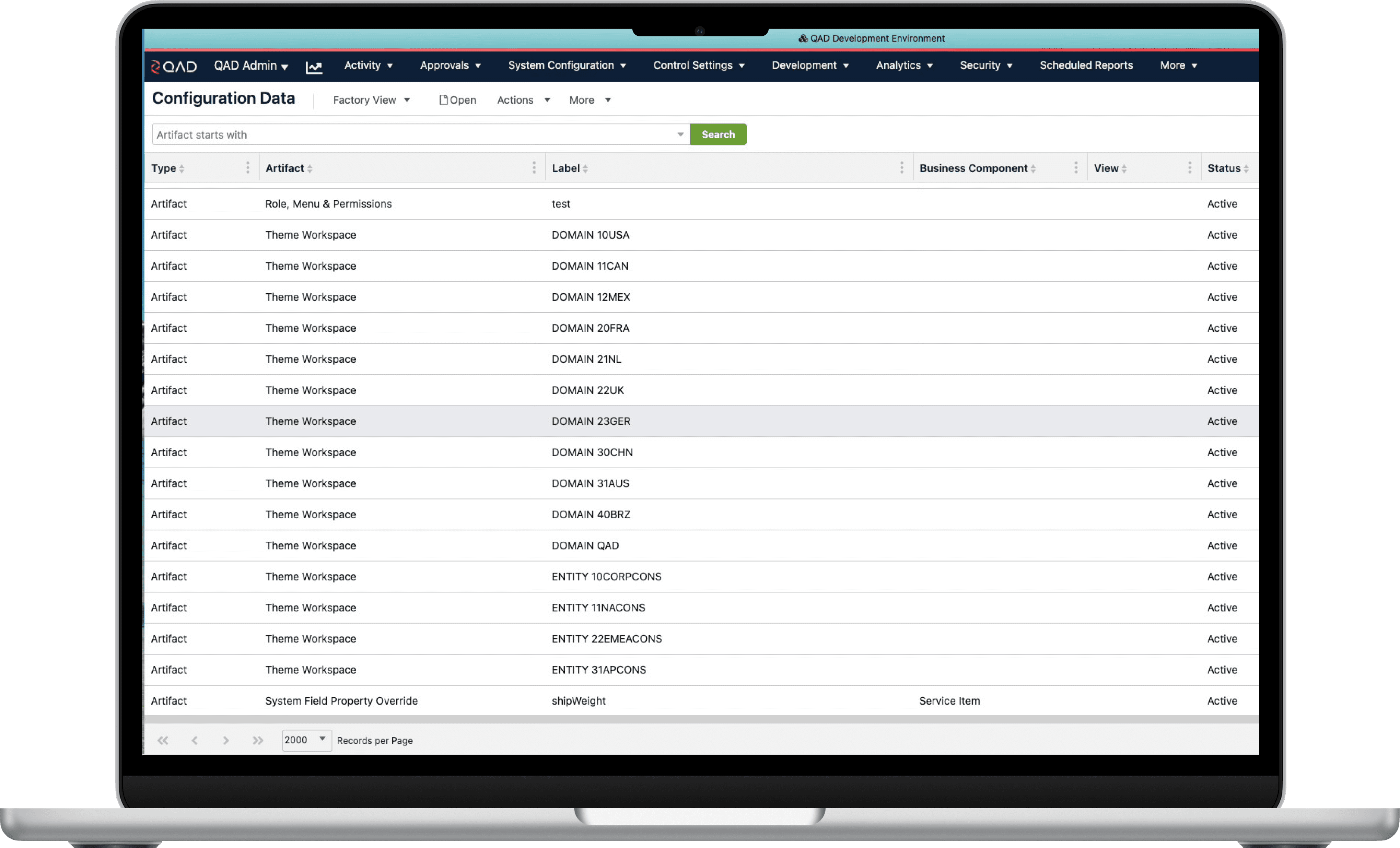
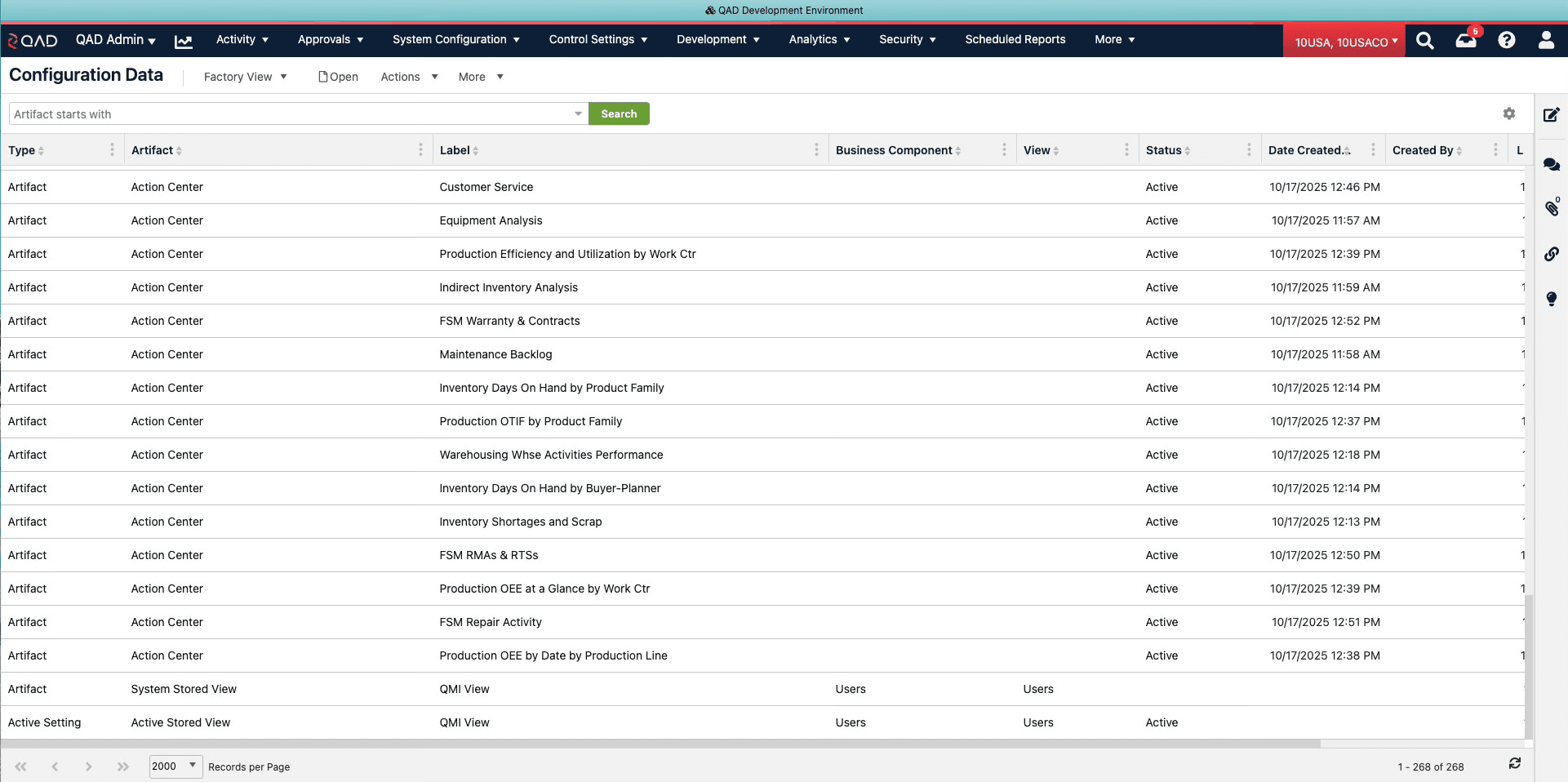
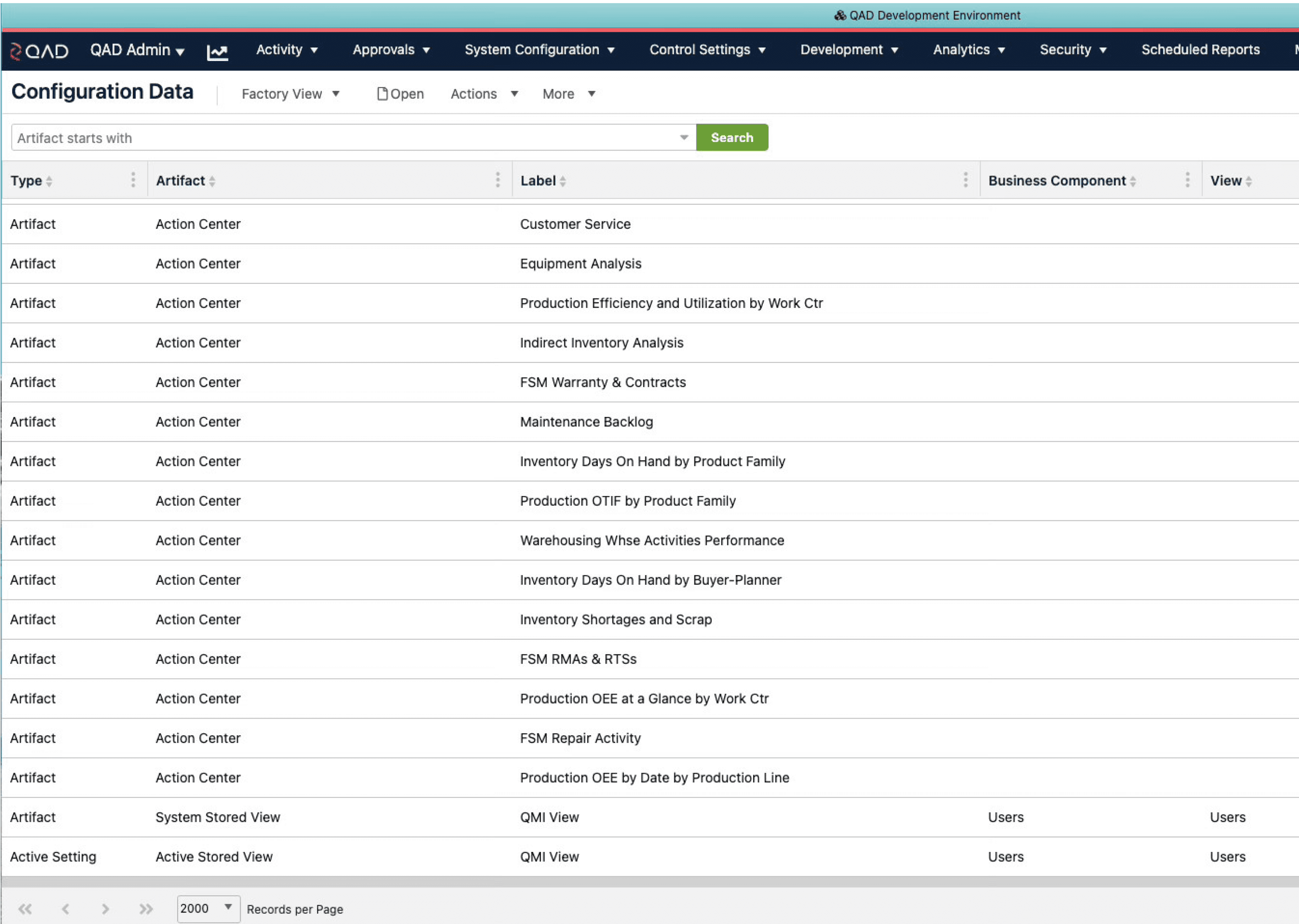
The main Configuration Data screen shows a list of the environment configuration "artifacts" (layouts, themes, etc.) that can be transferred.
The screen has a grouping applied on initial view in order to clearly reinforce the complex concepts of artifacts as manageable pieces of data.
List of “artifacts” can be filtered and sorted by date created, artifact type, label, type, etc so they can export the artifacts that are relevant to the new environment.
I designed the default screen to have the artifacts grouped by type so the users wouldn’t get overwhelmed by the artifacts and can quickly see what they are
1
2
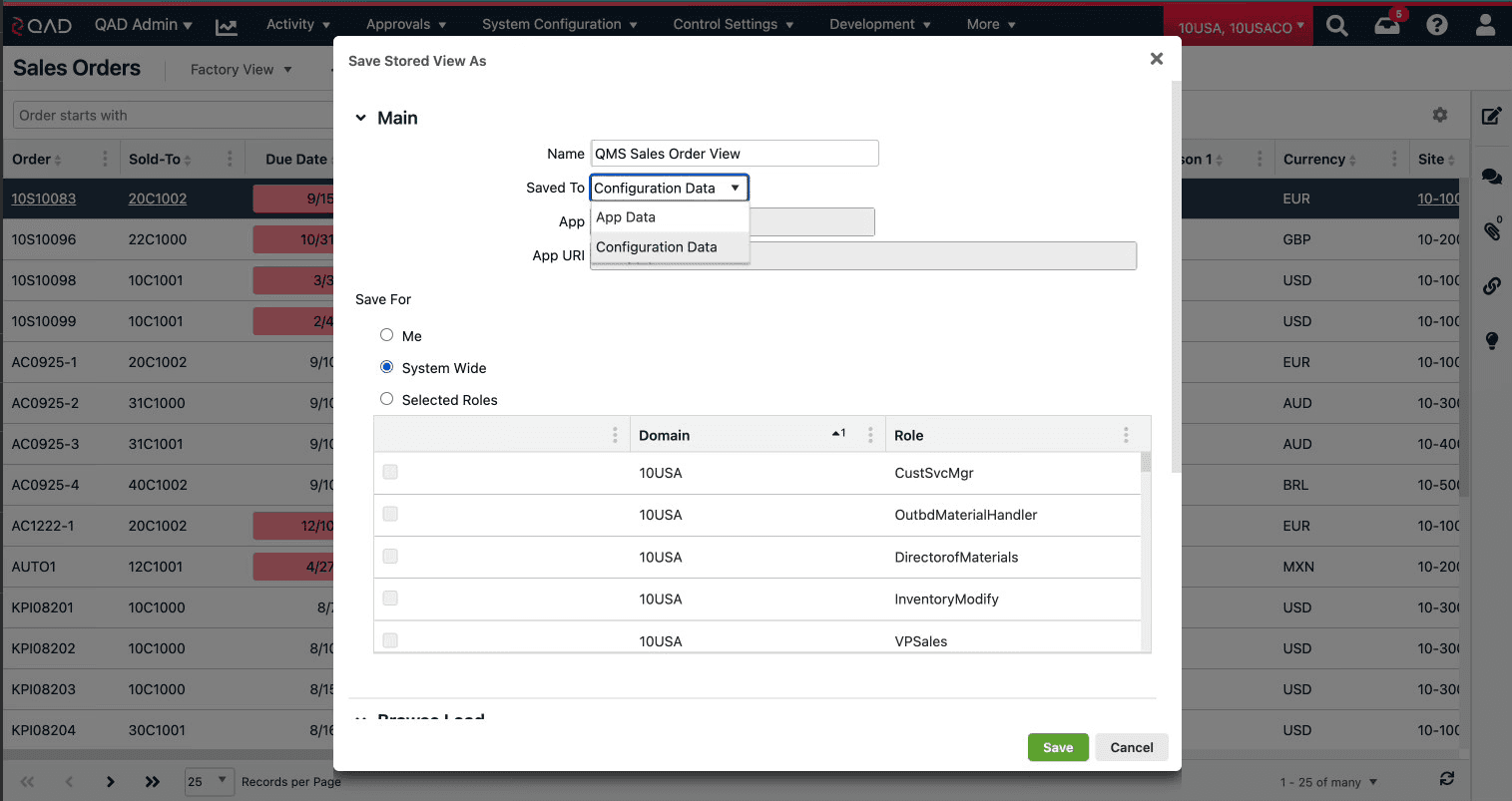
Configuration Data Feature
Saving Data
Artifacts that can be stored to Configuration Data have a dropdown select to chose to save into App Data or Configuration Data. This change required review of which artifacts should be included and updating the UI for each artifact on a case by case basis.
This new type of data required a new paradigm for how we communicated our system data to users. Each of the 10 artifact types was configured so users chose which type of data they were saving to.
1
Exporting Data
Exporting Data
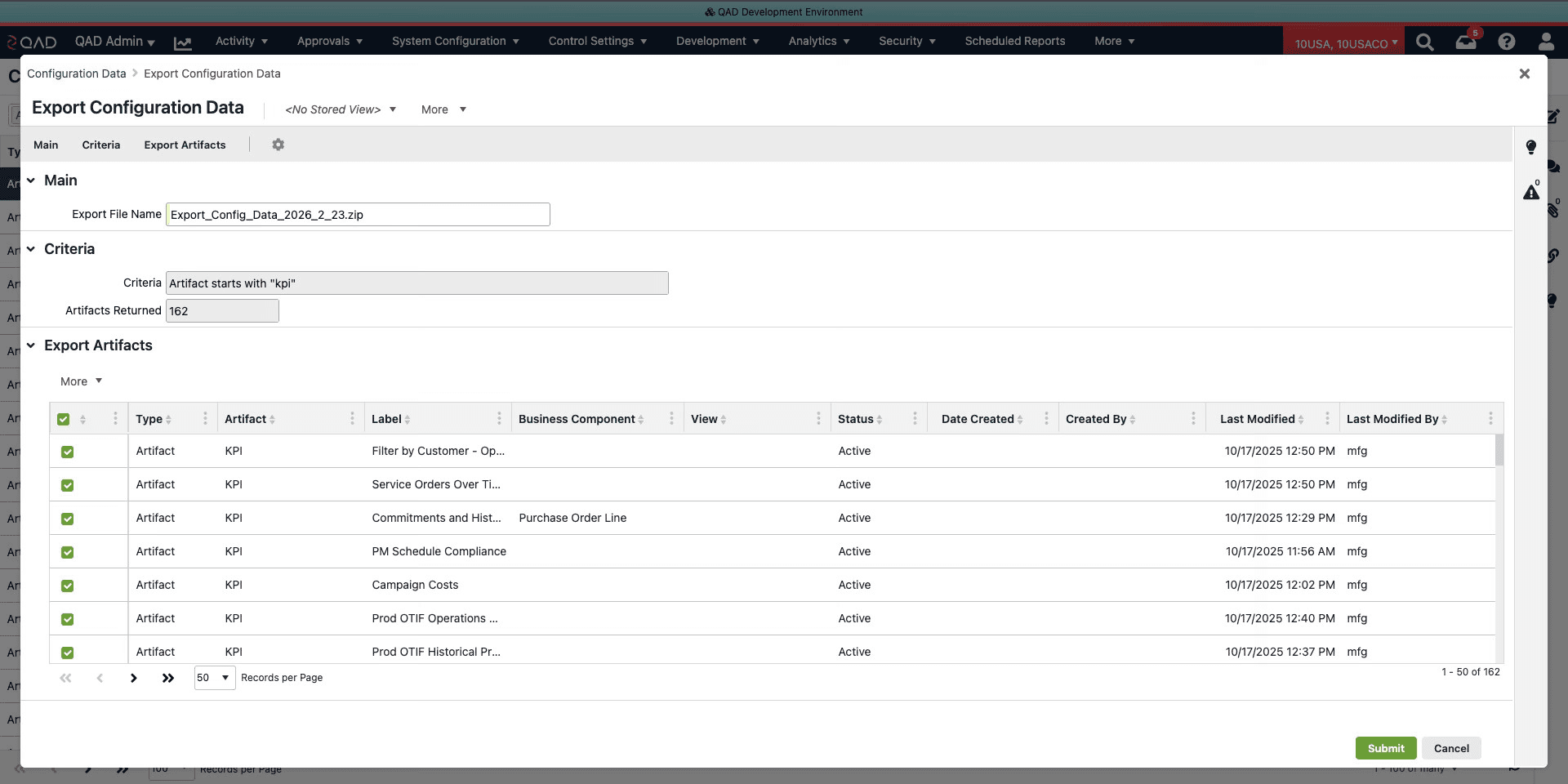
Data from Configuration Data can be filtered based on the users needs: Date Created, Status, Artifact Type, Artifact Name, etc. Then those selected artifacts are reviewed in the Export screen before being added to a zip file for download.
Basic information like the filter used and number of artifacts included in the export is shown to provide feedback and confirmation
User can elect to make changes to the filtered artifacts
1
2
Importing Data
Importing Data
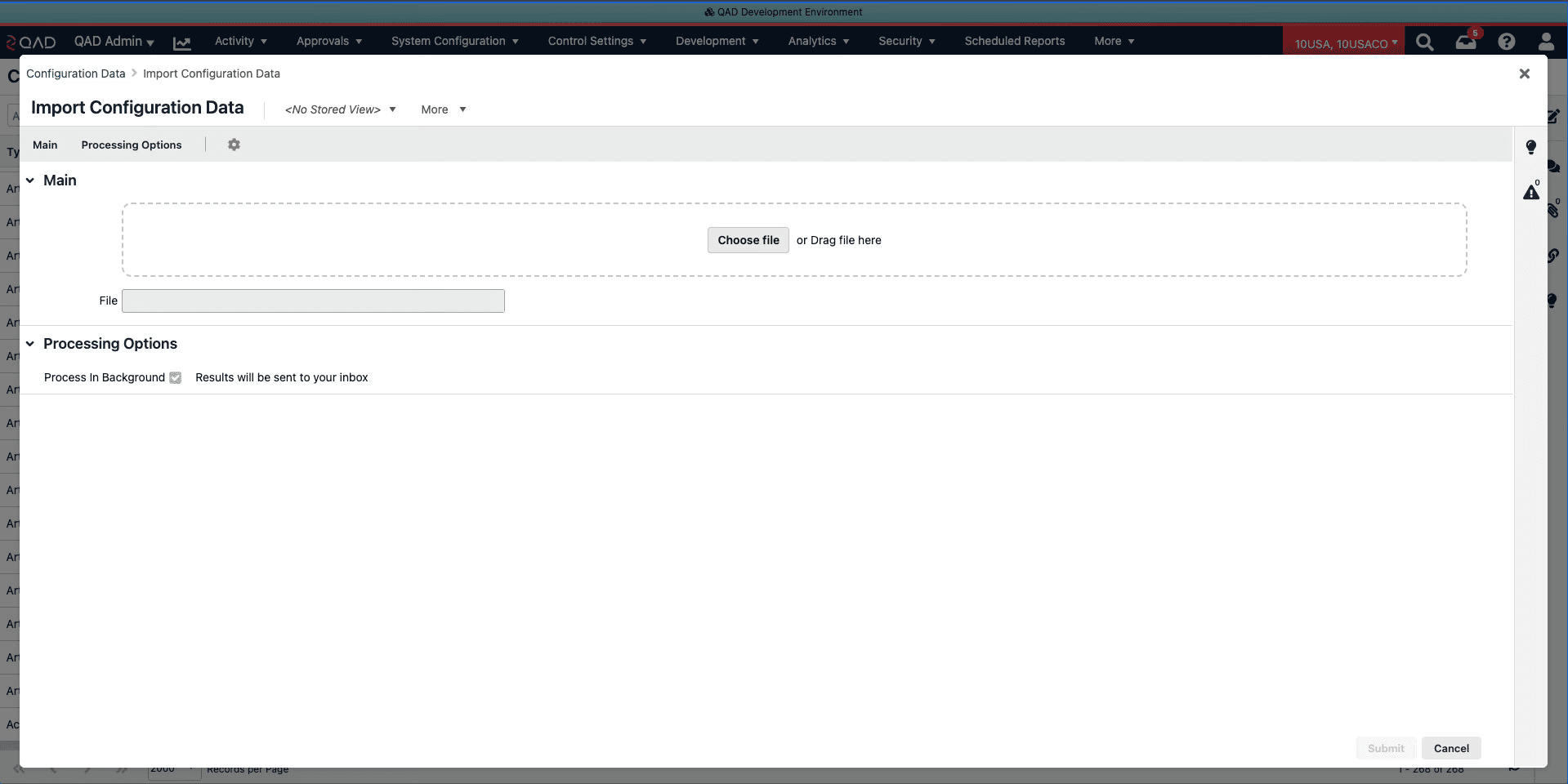
Once in the new environment, the admin user can simply select or drag and drop the zip file. The configuration files will then be processed in the background and the user will be informed in their inbox when the process is complete.
The import process is done in the background so users don’t have to wait for a lengthy processing of the data
1
Feedback · Recognition · Demonstrated Value
Measuring Value
Validation
Stakeholder Buy-in:
Conducted internal reviews and with QAD Partners and the QAD Founder to ensure technical feasibility without sacrificing UX.
Internal Adoption:
The tool was immediately adopted by internal QAD teams & Partners to manage their own environment migrations, proving its utility.
Recognition:
Awarded "QAD Champion" for delivering a solution that directly impacted customer autonomy and reduced service overhead.
Demonstrated Value
Time Saved:
Process reduced from a 3-5 day service request to a 15-minute self-service task.
Cost Reduction:
Eliminated QAD Cloud Service fees for environment configurations.
Risk Mitigation:
Removed the "Downtime" risk, allowing businesses to configure their system during business hours without impacting production.
Impact:
Delivered a tool of real value that saves both customers and QAD time & money and gives customers the flexibility they need to configure their own business workflows.
Lessons Learned
Reflections
Lessons Learned
The Technical Trap: Initially, I followed the architect's requirement to treat "Active Settings" as separate entities from the "Artifacts" themselves.
The Realization: Testing showed this was confusing. Users perceive an artifact's active state as a property of the artifact, not a separate object.
The Takeaway: In complex enterprise UX, it is vital to question initial technical guidance. I pivoted the design to treat the "Active State" as a metadata property, drastically simplifying the user's mental model.