ERP Mobile Inbox
Untethering Enterprise workflows for field workers

Project Name: ERP Mobile Inbox
My Role: Lead Product Designer
Company: QAD
Duration: 10 months
Team: Product Manager, 1 Engineers, Stakeholders
Basics
ERP Mobile Inbox
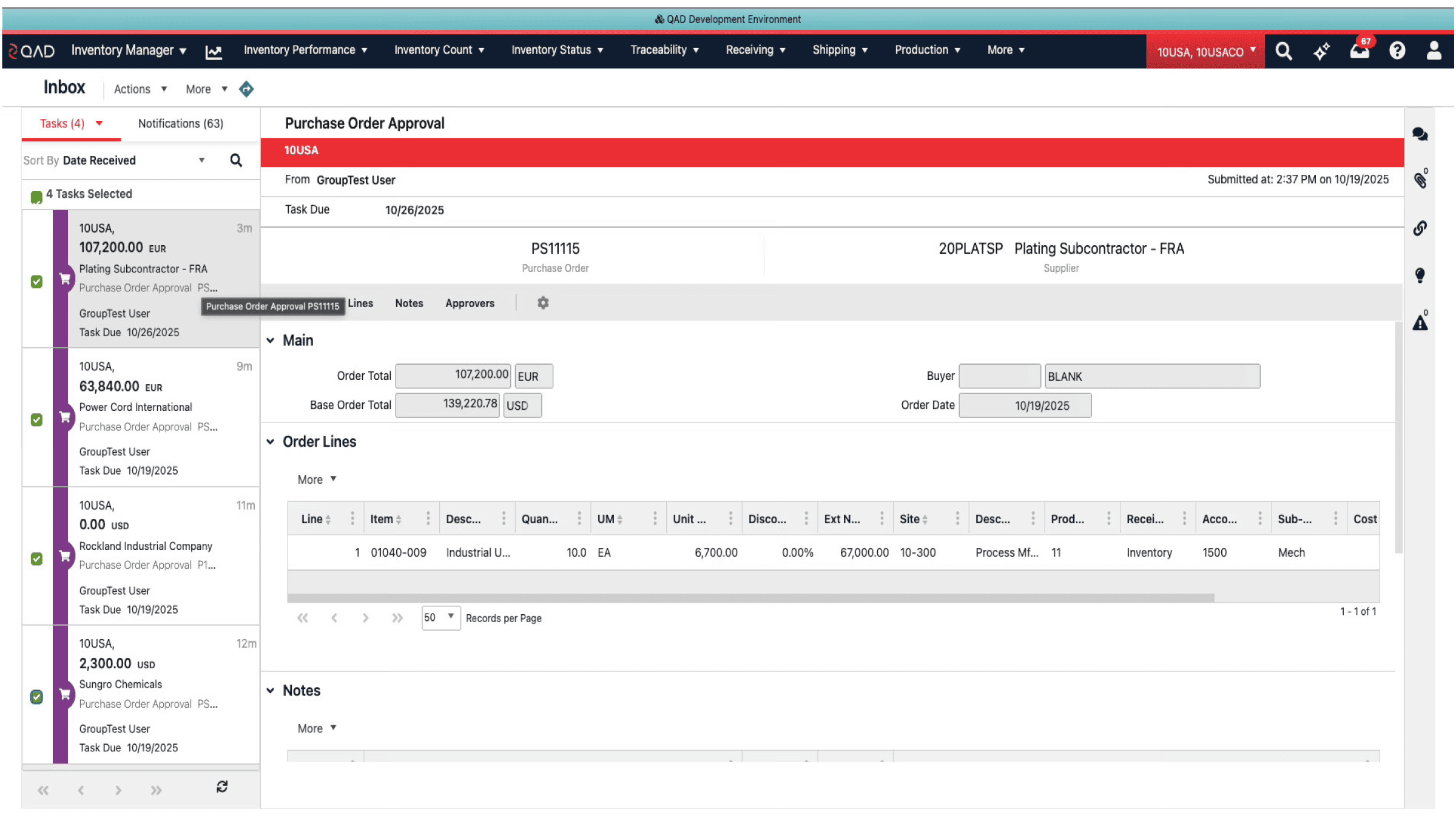
A lightweight mobile version of our ERP Inbox so technicians and sales managers can perform essential timely tasks on the go.
What Changed, and Why It Mattered
The Problem
Maintenance Technicians, Sales Managers, and Support Managers are rarely at their desks. By restricting approvals to the web interface, critical supply chain decisions were being delayed by hours or days, causing bottlenecks in production. We needed to untether these workflows.
What I delivered
The QAD Mobile Inbox feature was designed as a streamlined mobile form factor that allows customers to carry out all of the same Inbox functions as the Web application but on the mobile app.
Case Studies / Restricted Party Screening
Siobhan Duran
xx
Portfolio
My Responsibilities
Research
Desktop tool audit, comparative UX analysis
Liaison
Engineering, Product Management, Sales
Design
Flows, wireframes, high-fidelity prototypes, usability testing
Define
intuitively adjusting desktop workflows for the mobile experience
Understanding User Roles · Red Routes Diagrams · Storyboards
Research & Strategy
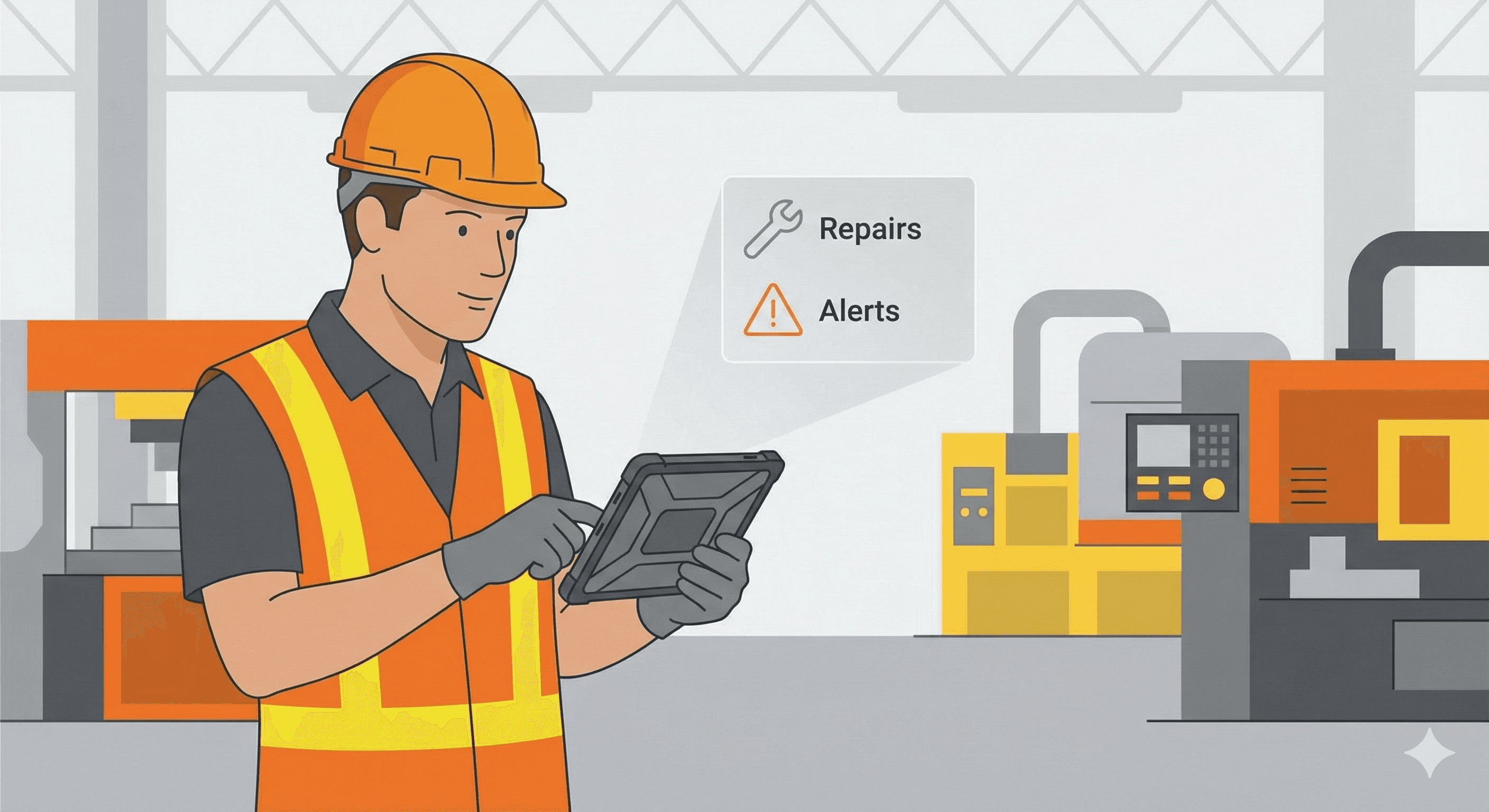
Mobile Inbox users would be technicians out in the field repairing equipment.
Roles
Maintenance Technician
The Maintenance Technician
Role: Equipment Reliability & Repair
Process: Plan to Perform
Context & Environment
Primary Location: The Production/Plant Floor (High percentage of time spent here).
Device Usage: Mobile access is critical as they are rarely at a desk; they work with tools, hoists, and machinery.
Mental Model: focused on "MTBF" (Mean Time Between Failures)—needs to fix things fast to control downtime.
Mobile Inbox Goals
Real-time Awareness: Needs immediate alerts on equipment downtime or availability issues while walking the floor.
Workflow Efficiency: Needs to report labor and sign off on maintenance tasks without returning to a computer terminal.
Key Inbox Tasks
Approvals/Sign-offs: Signing off on completed maintenance or closing work orders.
Alerts: Receiving automatic notifications regarding machine shutdowns or potential production delays.
Coordination: Communicating with Planning & Scheduling teams regarding unanticipated maintenance.
Mobile Inbox users would be technicians out in the field repairing equipment.
Roles
The Customer Support Manager
The Customer Support Manager
Role: Service & Support Lead
Process: Quote to Cash (Q2C)
Context & Environment
Primary Location: Office/Call Center, but frequently remote visiting high-profile customers.
Device Usage: Desktop for deep analysis; Smartphone/Tablet for monitoring metrics and escalations while traveling.
Mental Model: Needs a "360-degree view" of the customer to handle escalations instantly.
Mobile Inbox Goals
Unhook from the Desk: Needs to operate an "unattended system" that alerts them only when issues arise so they can travel without bottlenecks.
Speed: Ensure critical support issues are resolved within agreed service levels (SLA) even when out of the office.
Key Inbox Tasks
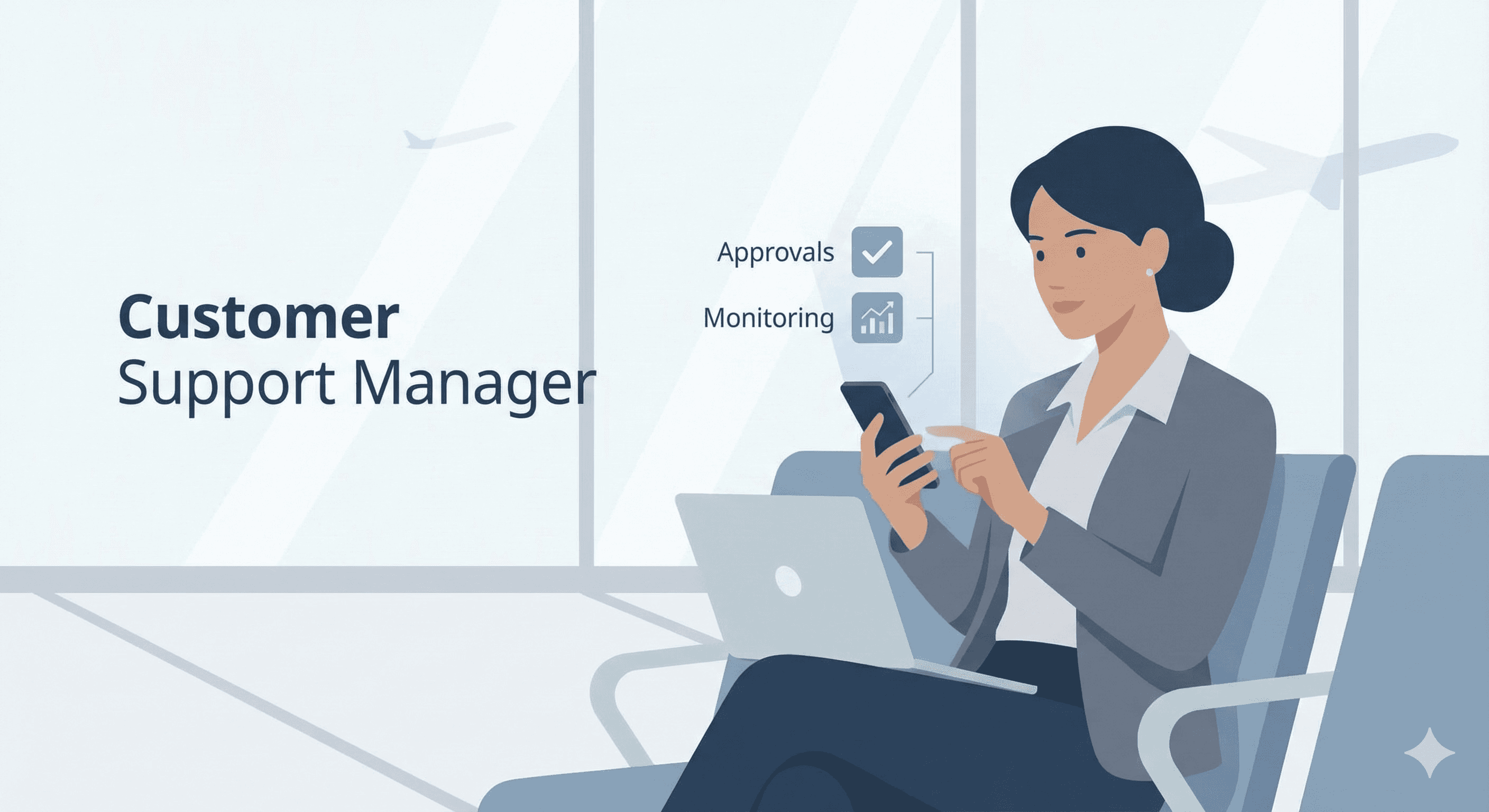
Approvals: Reviewing and approving Service Quotes and Contracts.
Exceptions: Receiving notifications for escalated calls or warranty cost overruns.
Monitoring: Checking "Orders Shipped on Time" (OTIF) and backlog metrics via mobile dashboards.
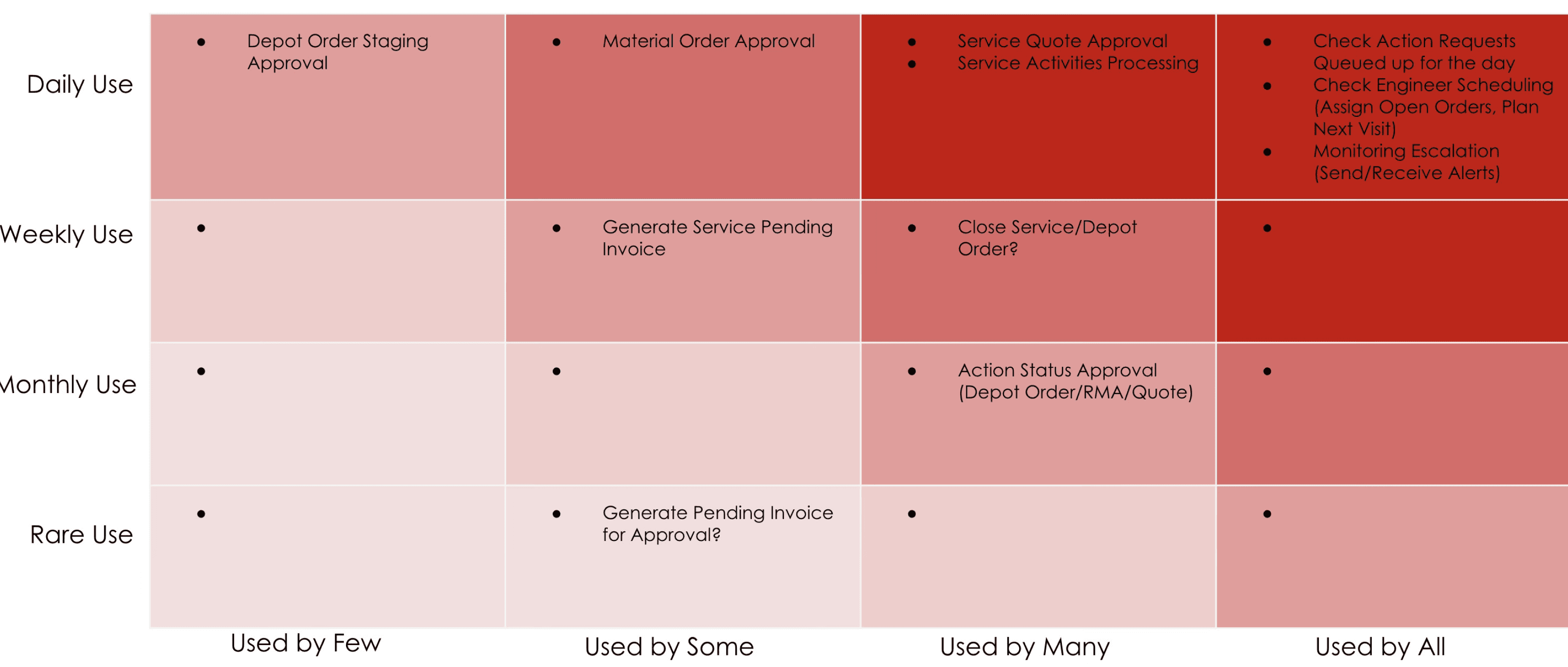
Red Routes Analysis - Customer Support Manager
Working with our subject matter experts, I pinned down the primary tasks and flows that would be needed by Customer Support Managers. Daily mobile inbox tasks would include completing approvals of many different types, as well as reviewing notifications regarding Action Requests.

Red Routes Analysis - Maintenance Tech
For Maintenance techs, their mobile inbox would look different. They would need to review their new work orders and close work orders.
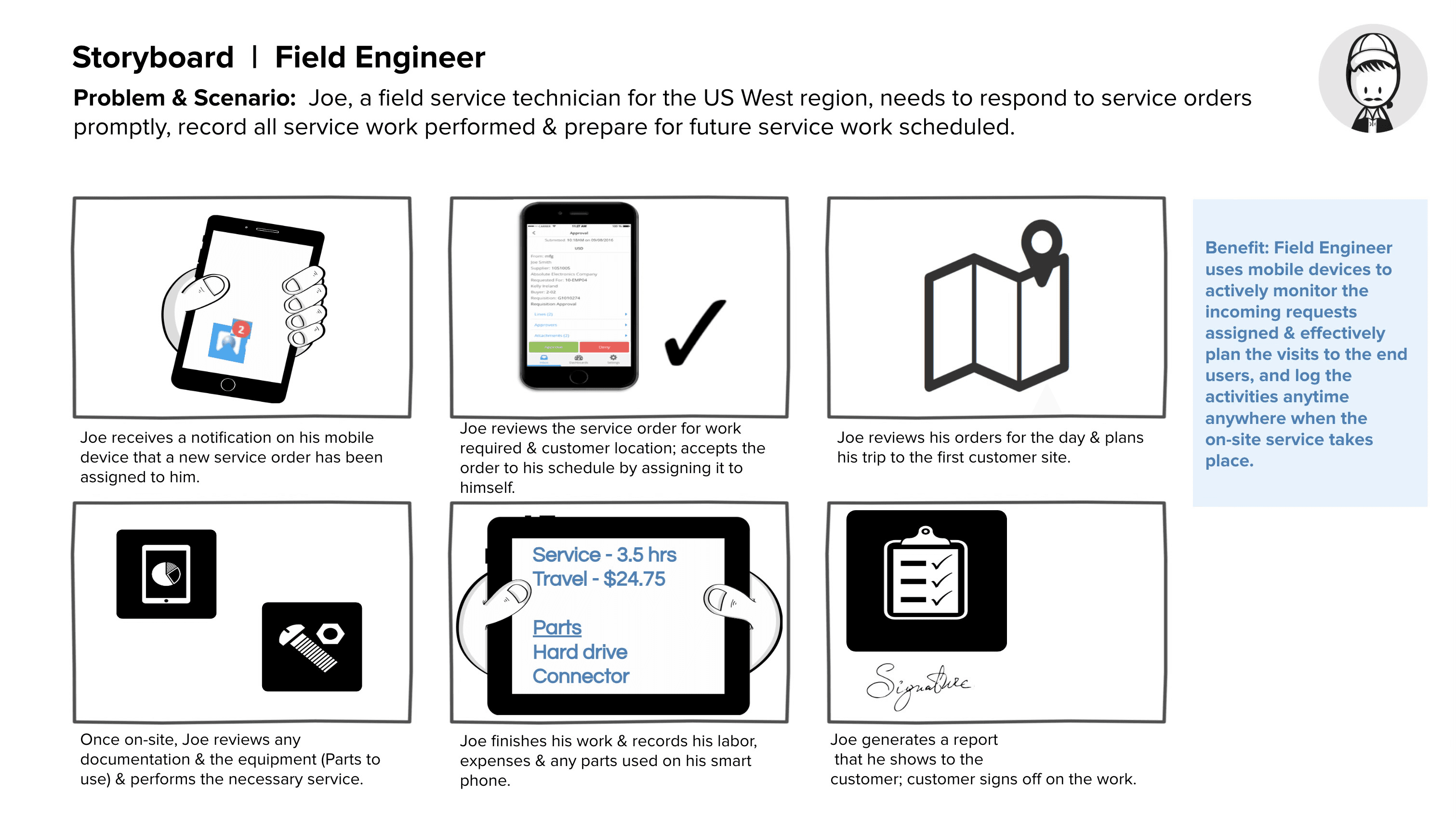
Understanding User Flows
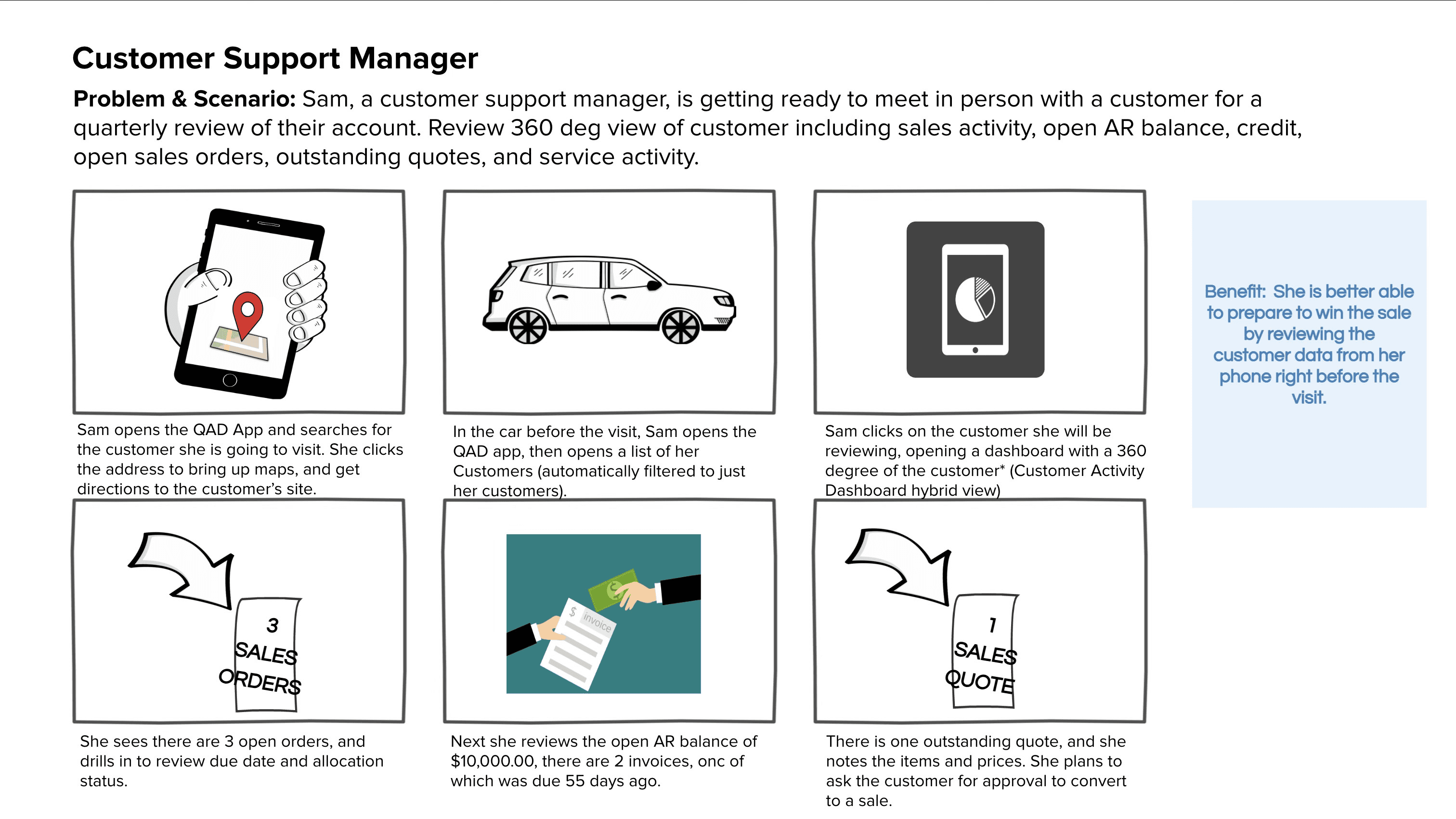
Understanding User Flows
Mockups
Strategic Decisions
Strategic Decisions
1. Inbox internal → external navigation
Challenge: When users drill into the details of the inbox notifications, it leads them directly into the rest of the app. How do they expect that back button to work in that situation - should it lead them back to the Inbox? Or take them back to the normal app grid?
Solution: A/B testing was performed to determine if users expected to return to the Inbox, or to return to the regular application.
2. Regular vs Archive Tasks
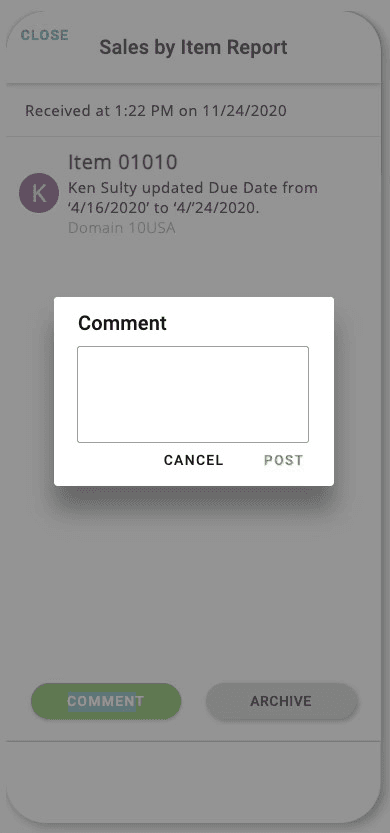
Challenge: On the form factor of the Mobile Inbox, how do we display archived tasks in a way that gives the user clear visibility of system status that these tasks are no longer viable?
Solution: Shading was added to give the user clear indication that these tasks were “disabled”, in addition to labeling.
Return to Inbox
After drilling into details, users are taken out of the inbox, the app opens up a grid, and then drills into the form details. In this case, using the back button takes them back to the inbox.
Interaction can be confusing. Interaction does not do perform the same way in this context as it does in the rest of the app.
Stay in Grid
Here, if users are taken out of the inbox, the back button performs exactly as it does in the normal app and keeps them where they are instead of returning to the inbox.
Interaction is seamless regardless of context.
press BACK
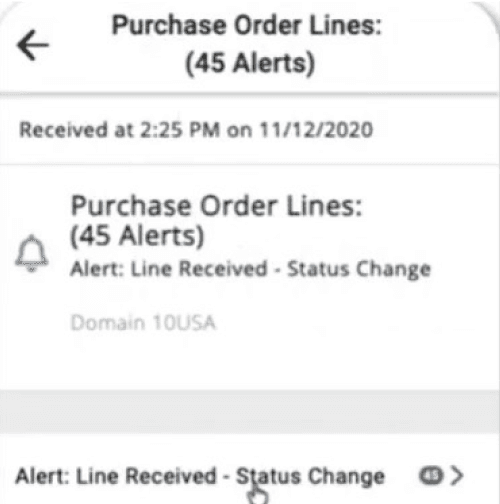
Inbox Notification: Purchase Order Status Change
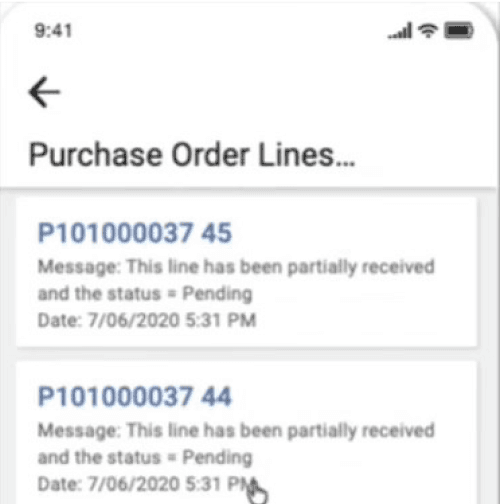
Inbox: Order Line Details
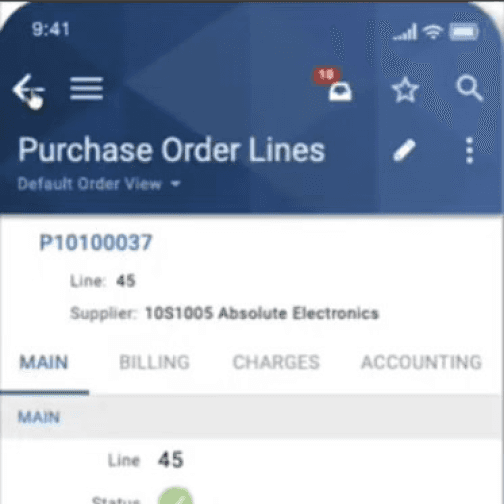
Purchase Orders Screen Details
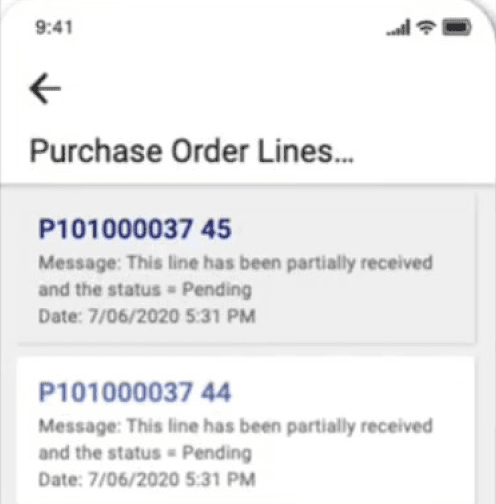
Inbox: Order Line Details
Inbox Notification: Purchase Order Status Change
Inbox: Order Line Details
Purchase Orders Screen Details
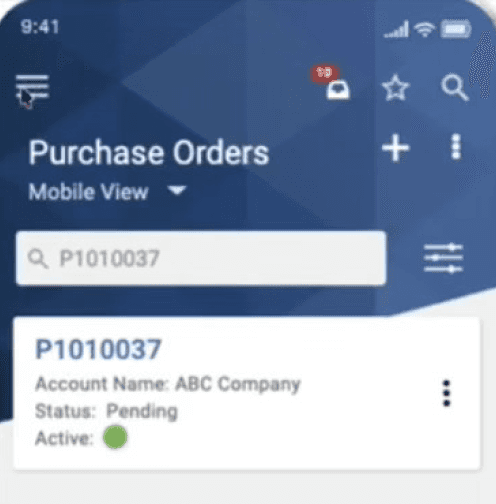
Purchase Orders Screen
press BACK
A/B Testing
Users start out in the inbox, but drilling into details by necessity leads them out of the inbox and back into the app. In that case - What would the back button do? In order to understand what users would expect, we completed internal A/B testing.
Mockups
Design Solutions

Mobile Inbox Designs
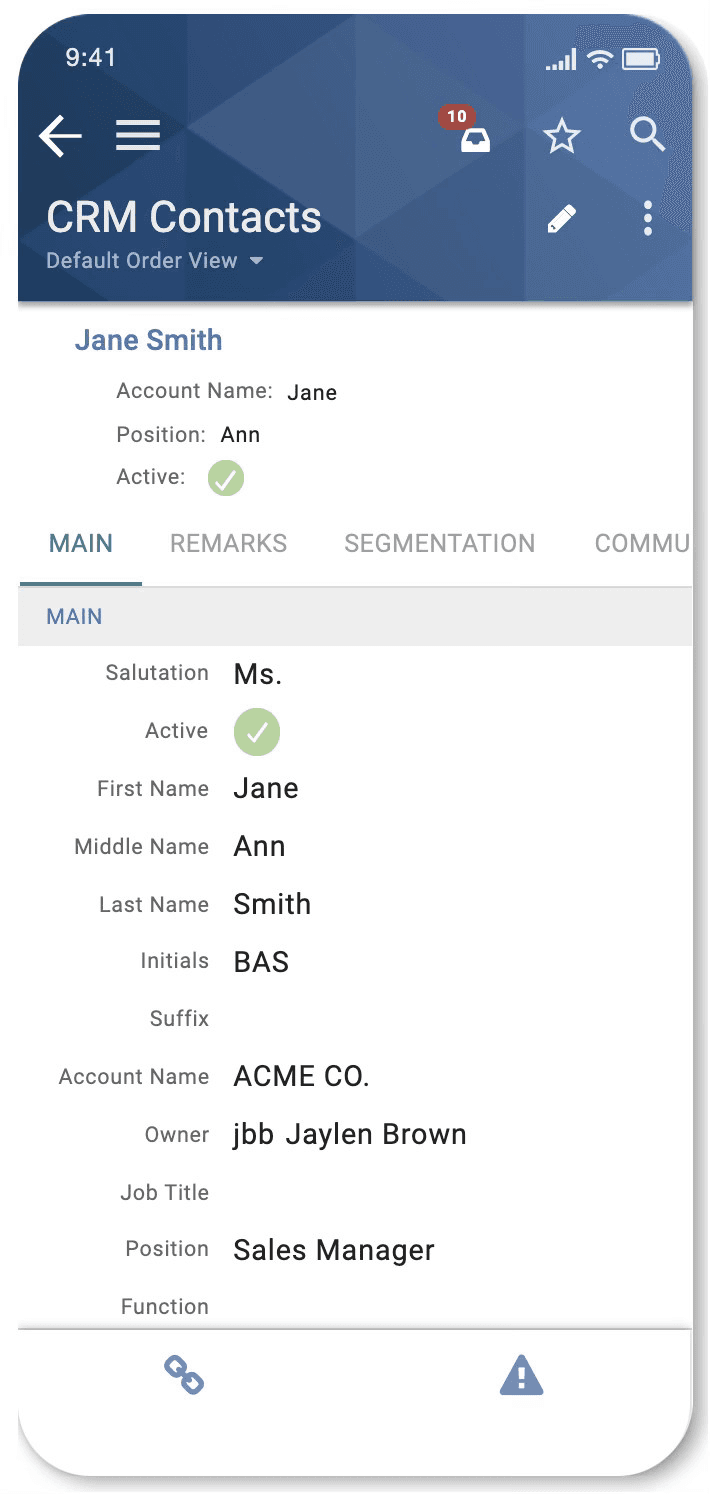
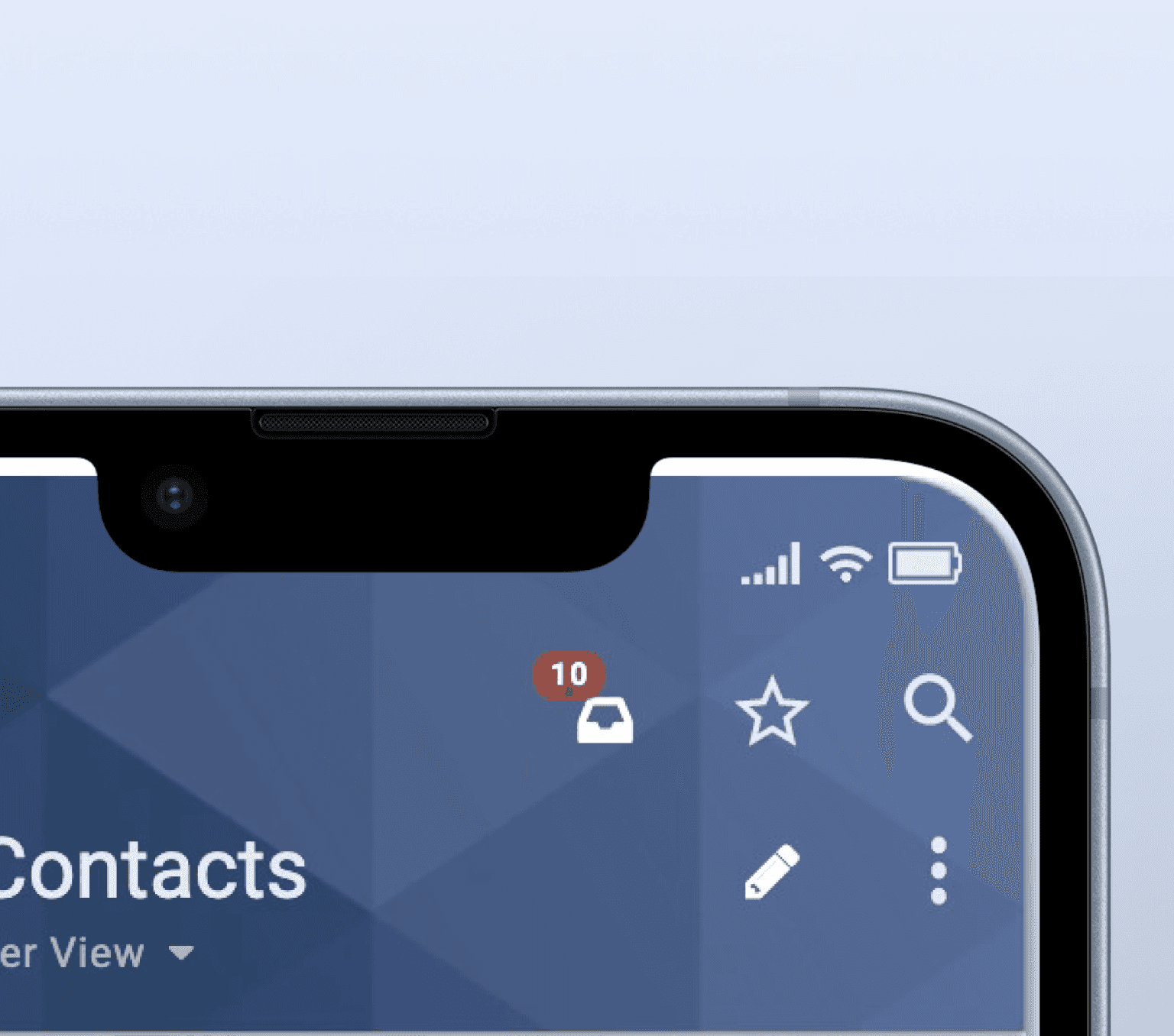
Inbox Icon
With a smaller interface available, a lot of thought had to be put into the best location and interaction for this Inbox trigger as well as the ability to convey enough useful information on a small form factor.
This location was chosen for its visibility as a navigational element and Tasks & Notifications were combined into a single clear total.
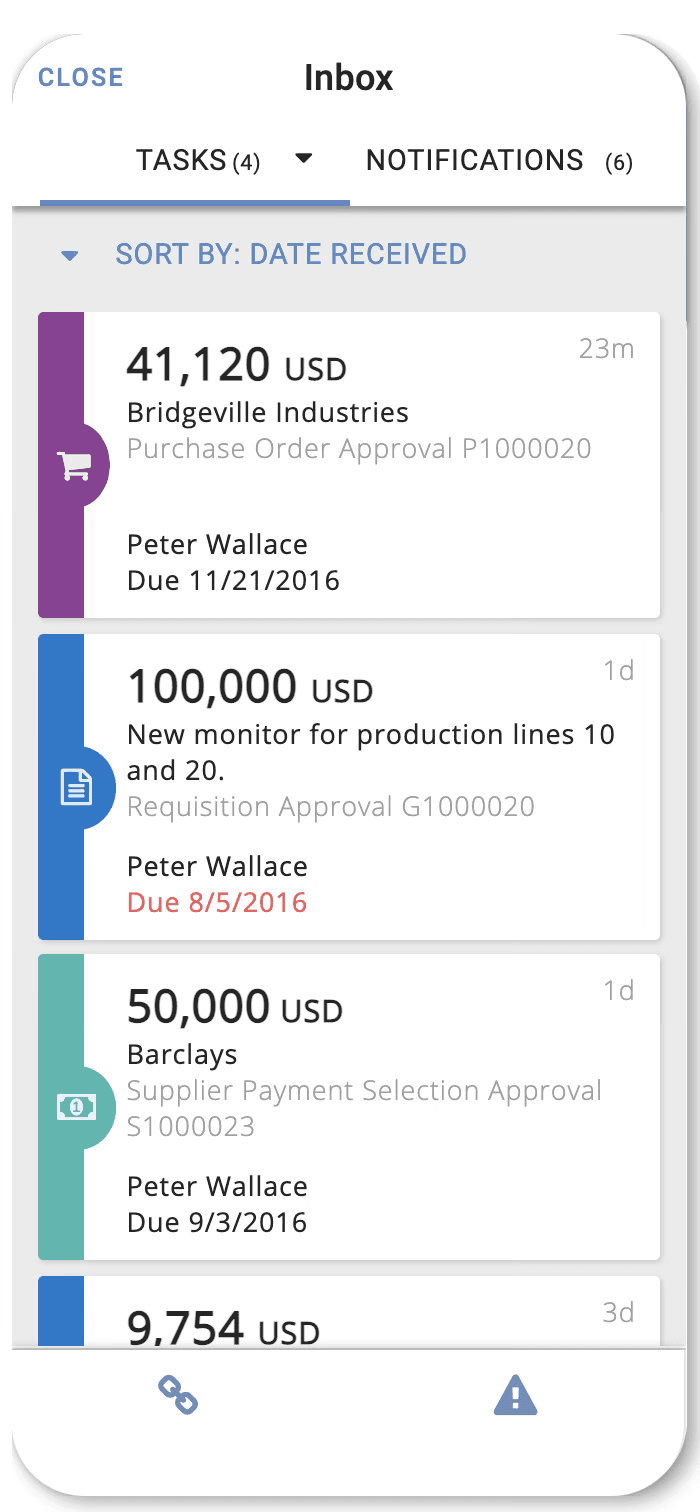
Mobile Tasks
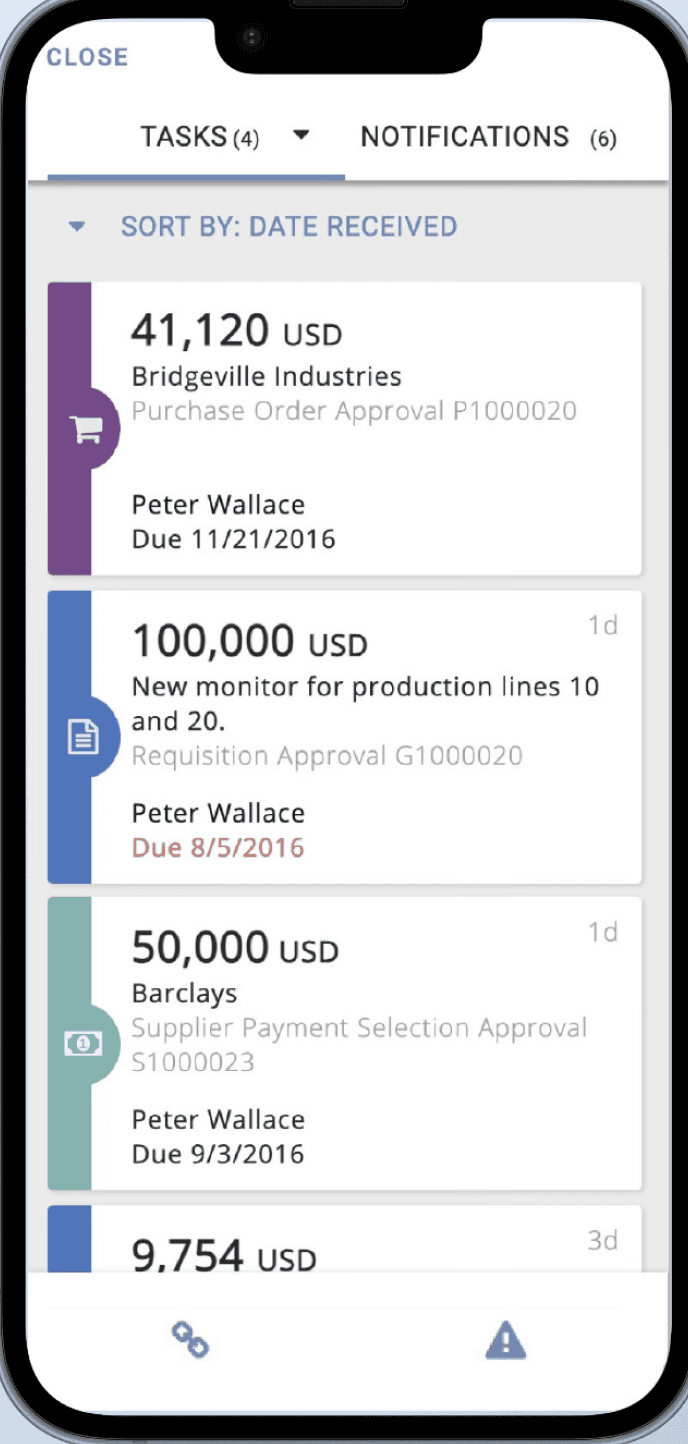
The Mobile Tasks screen is where Field Engineers, Customer Success Managers and others can review their Purchase Orders, accept their Service Orders and get moving to their next destination.
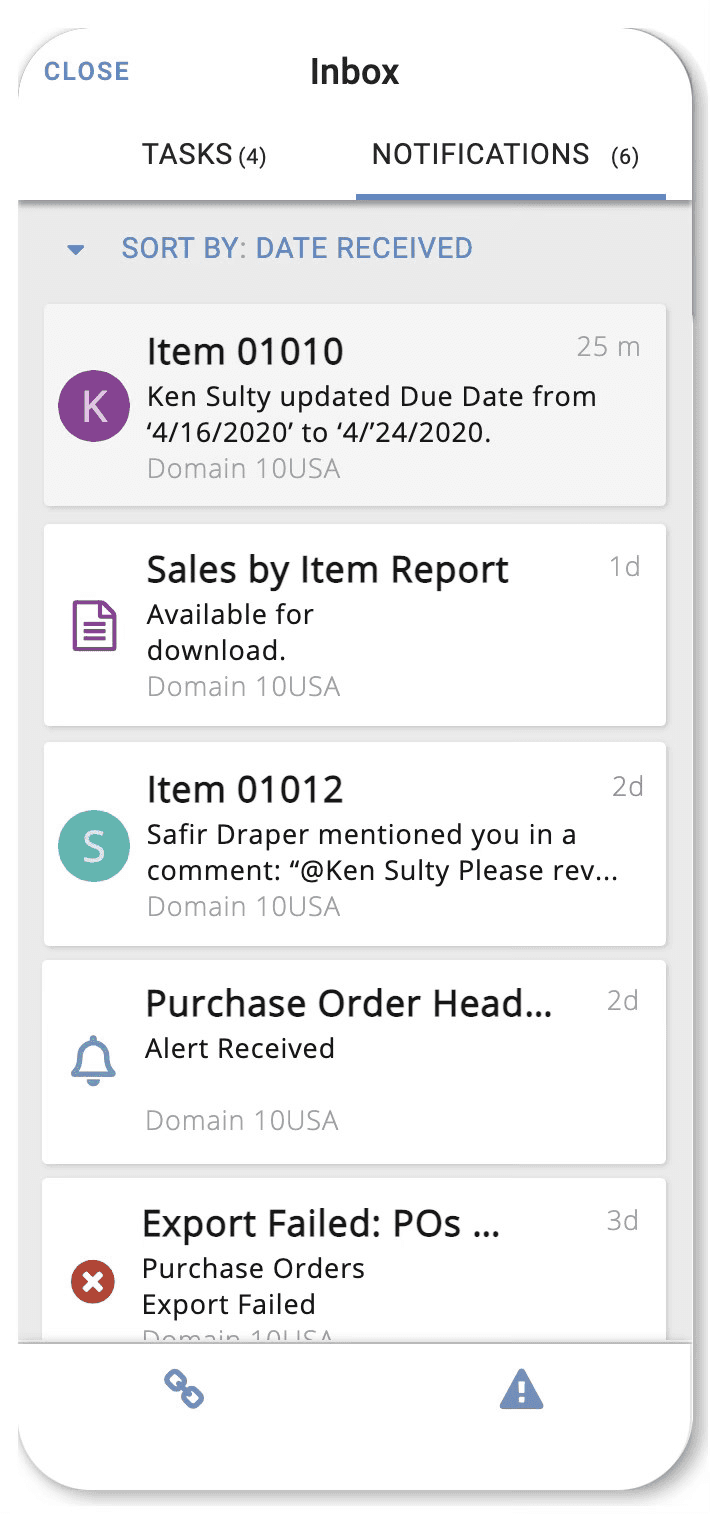
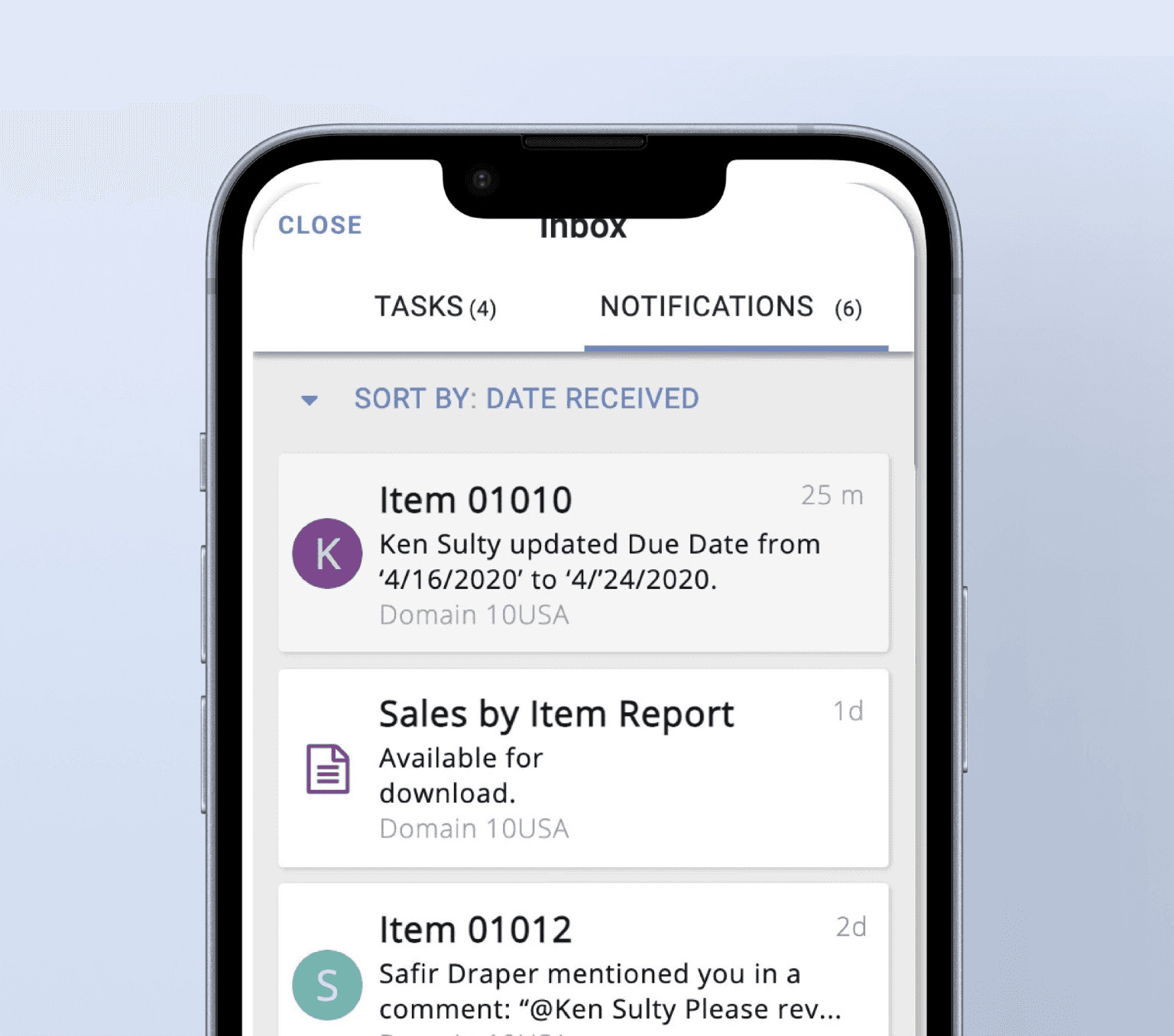
Mobile Notifications
Notifications show a lot of non urgent information that can be drilled into by clicking on the notification.
In the Mobile Inbox, the user can quickly peruse their Tasks, drill into the underlying details, and then complete their approvals on the fly.
Untethered Actions
Approval Flow