Restricted Party Screening
Designing Compliance Software for Global Trade
RPS
A lightweight product that enables users to continuously screen their contacts against government organizational denied party lists.
Users need to review contacts that may have been flagged on these official government lists, called DPL or Denied party lists, and confirm whether their contacts is one of these parties who should be avoided as a business contact.
Project Name: Restricted Party Screening (RPS)
My Role: Lead Product Designer
Company: QAD
Duration: 18 months
Team: Product Manager, Engineering, Compliance SME, Stakeholders
Basics
What Changed, and Why It Mattered
The Problem
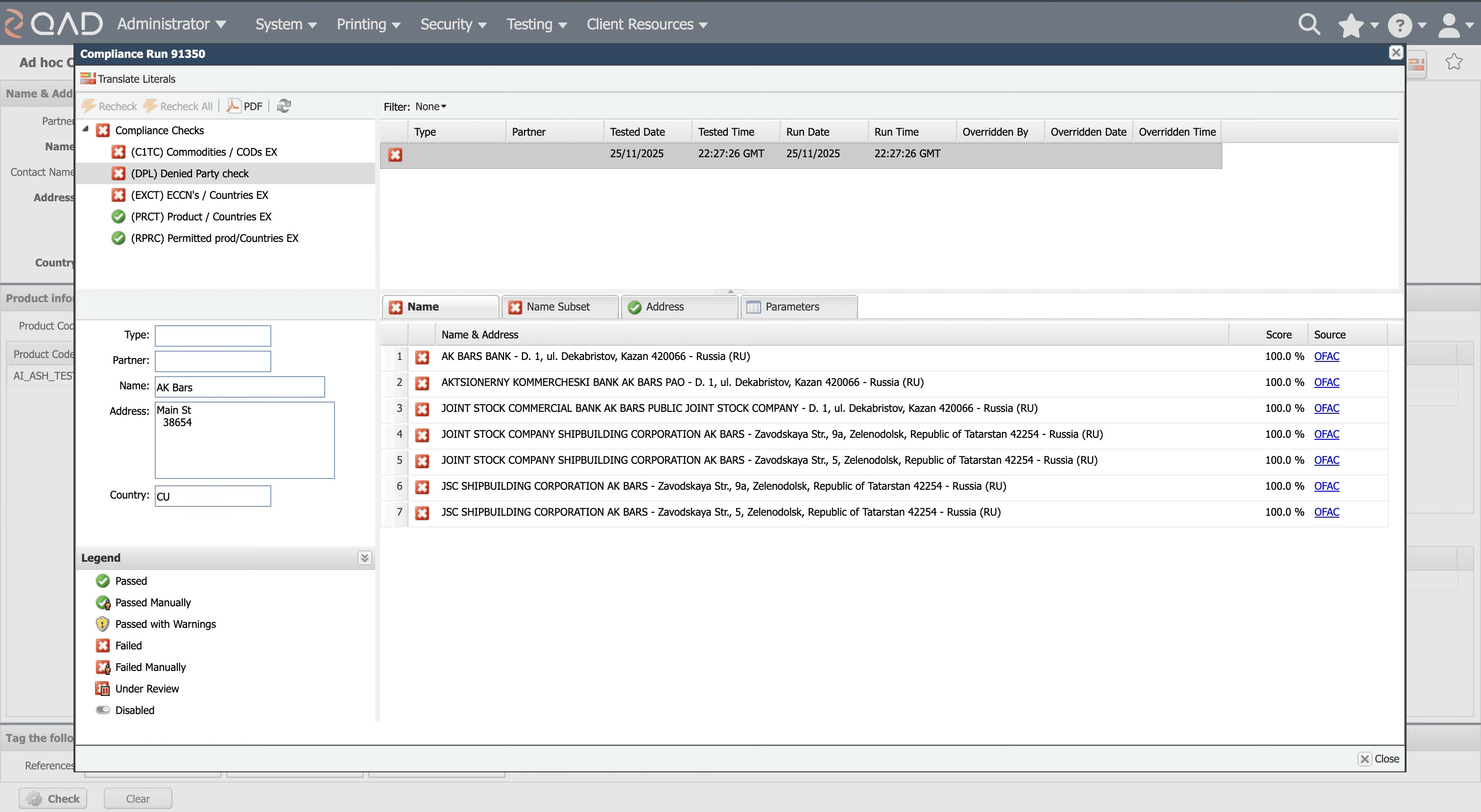
Compliance teams using QAD’s legacy denied party screening app struggled with slow, manual processes and error-prone workflows.
What I delivered
Designed RPS, a configurable, real-time tool that automates screening, improves controls, and makes audit trails transparent.
Case Studies / Restricted Party Screening
Siobhan Duran
xx
Portfolio
My Responsibilities
Research
Legacy tool audit, comparative UX analysis, stakeholder interviews
Liaison
Engineering, compliance SMEs, customer success, and sales
Redesign
Flows, wireframes, high-fidelity prototypes, SME validation, usability testing
Define
Metrics, screening guidelines, design system improvements
Context: The Legacy Application & Its Pain Points
Batch files manually uploaded or adhoc screening by users (via email or slow internal tools)
Screening was overnight, batched or adhoc—users waited up to 10–15 minutes or longer each day for initial results
Match results were not intuitive and it was difficult to understand the correct course of action
No straightforward way to attach due diligence letters or view audit reasons
SME Interviews · Red Routes Diagrams · Flows
Research & Discovery
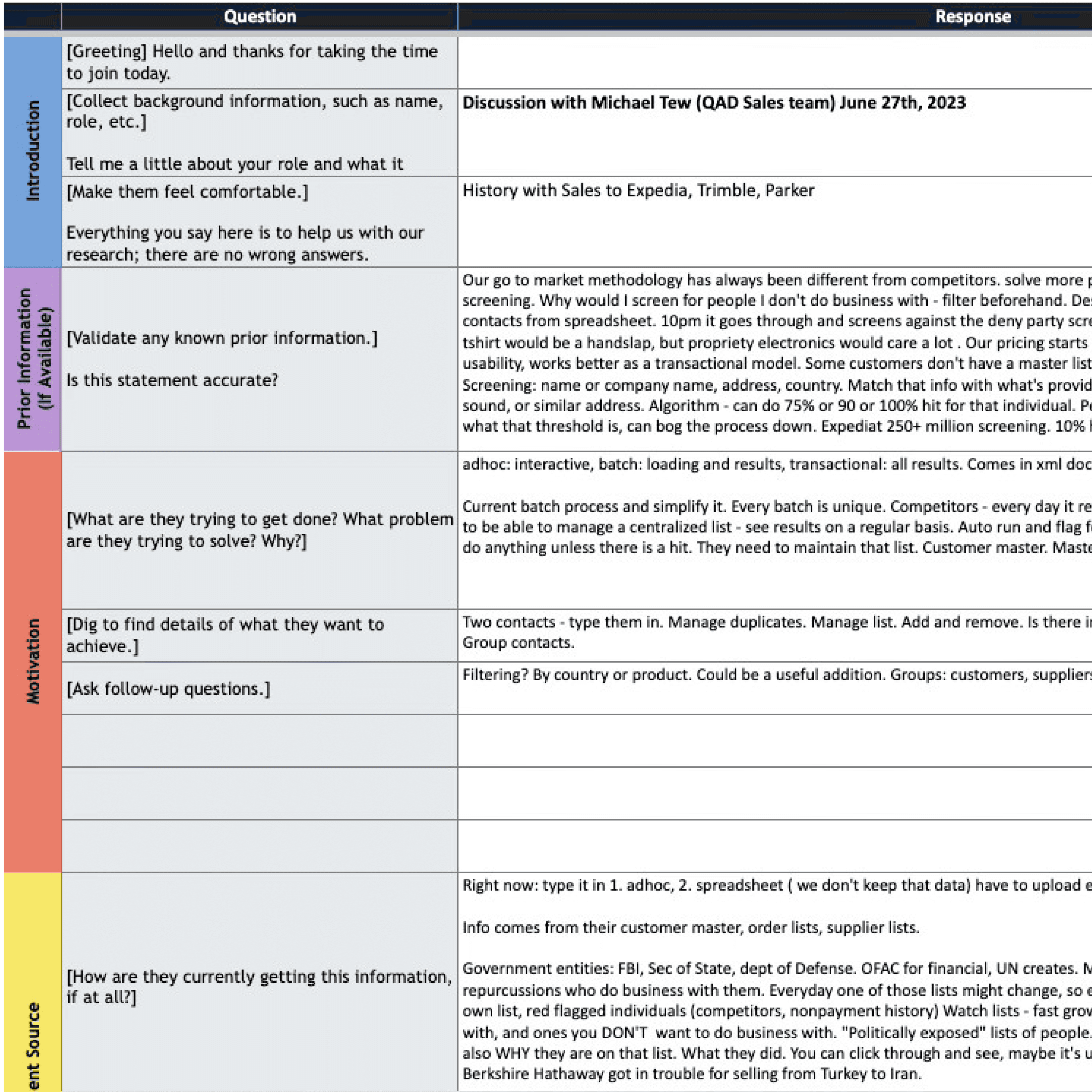
I had a conversation with Michael, our subject matter expert on the Denied Party Screening product, to gain insights into the customers' requirements.
What problem does this tool solve? What is important to the customers?
Manage by exception
Hands off and time saving
Single list - single source of truth
Takeaways:
One centralized contact list
Continuous screening automatically
Clear match notifications
Michael Tew - SME
Research & Discovery
Interview Notes

"This contact was fine yesterday, but today they failed because the OFAC list updated overnight."
Gerard O’Sullivan · Director Global Trade
“And some companies... will actually lean on their legal department to tell them what that percentage threshold is because it's always a delicate balance between trade compliance and trade facilitation.”
Jerry Peck · Product Manager
“So they're like, 'Yeah, he's on the list, but he's not a bad guy for me. So sure, I'll sell him stuff.”
Michael Tew · QAD Sales Team
Red Routes Analysis
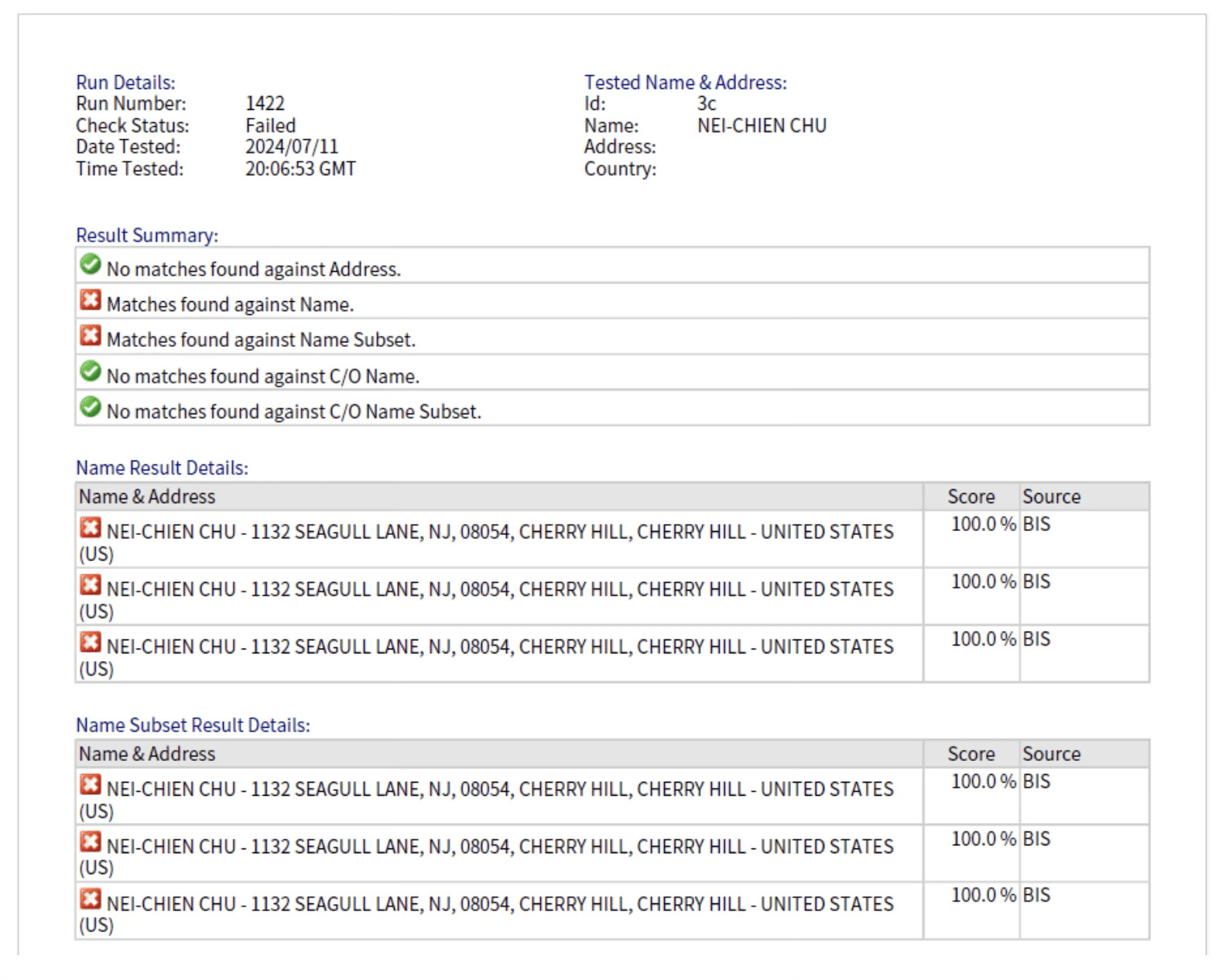
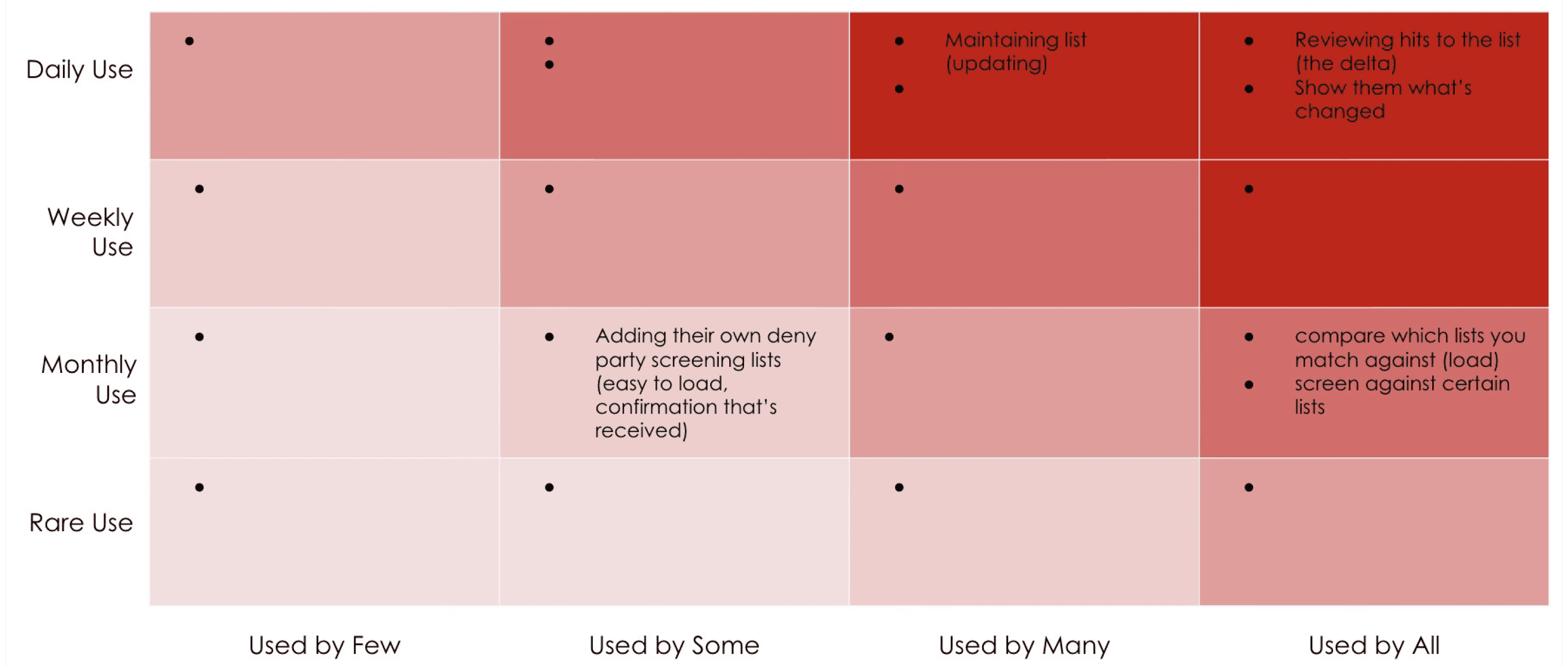
The red routes analysis directly informed on where to focus my energy:
Making matches clearly identifiable and enable evaluation
A straightforward universal import flow so new matches can get added quickly
Highlighting the delta clearly
Including admin functionality to adjust thresholds and DPLs
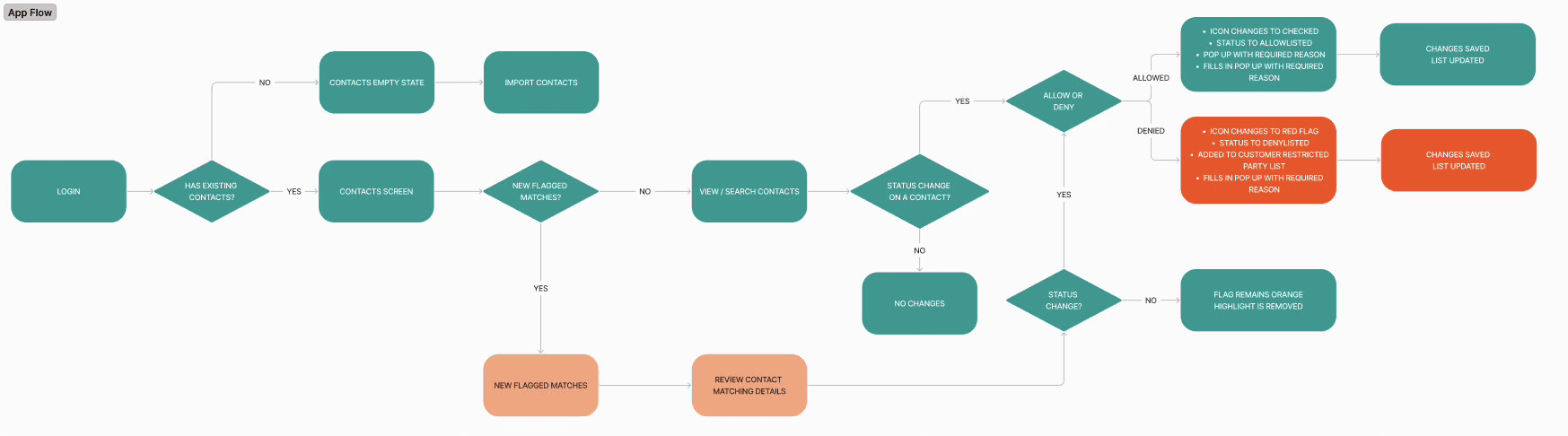
Primary Workflow (Daily)
Although the tool is simple, it was vital to understand the daily workflows, especially in regards to the matching and the evaluation of the matches.
What information would they need? What next steps would they take? Also, what would happen if a user decided not to make the evaluation? It was extremely important to get this flow correct or the customers could have serious legal and financial ramifications to their business for shipping to bad actors. Communicating the right information to the users was critical here.
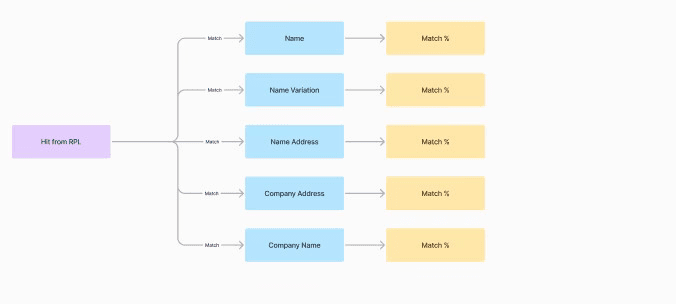
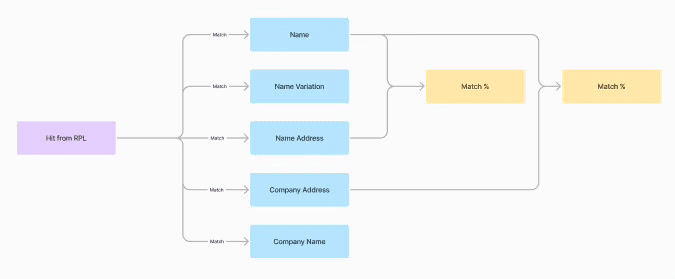
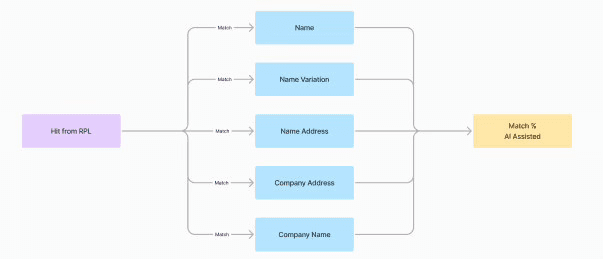
Primary user goal: Review DPL hits
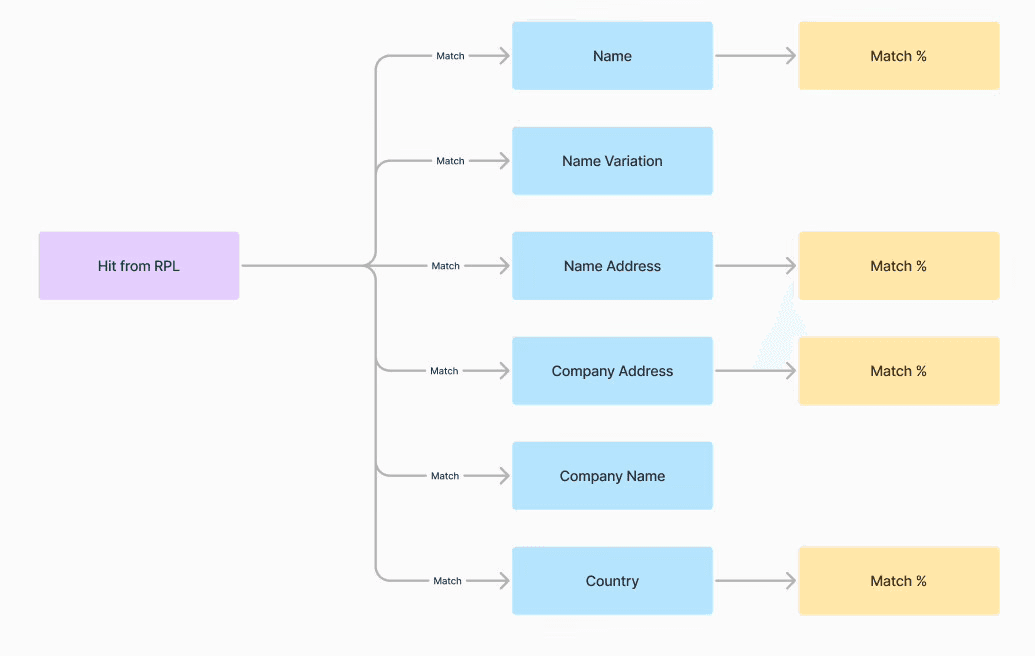
Match Separately
The first option explored was a separate match for each part of the information. Although this was the most accurate, it was potentially the most mental load for the user.
Complex for user but safer from a regulatory standpoint.
Match Smartly
The second option researched was combining certain parts of the data to get an educated match.
Less mental load.
Match Average
Finally the last potential option to try to make a fully educated guess on the QAD side as to how likely a contact was the person on the DPL.
Easiest for user to quickly understand.
Reviewing match results & making a determination whether a contact should be denied was the main goal for users. Therefore a key strategic decisions were how to display the hit results for a match, since different parts of the contact info data can potentially be a match to a certain government Denied Party List.
It was determined that only 4 pieces of info are critical to match against the DPLs. Averages were a problem from a legal and regulatory standpoint since they would be potentially putting the onus on QAD to determine the match, rather than the customer.
Legal ramifications needed to guide our communication.
Strategic Decision
Match Separately
Challenge · Solution
Strategic Design Decisions
Strategic Decisions
1. Real-time Continuous Screening
Challenge: Batch processing creates delays and missed alerts
Solution: Delta-based screening that monitors changes in real-time
Validation: Flash Global confirmed this as "mandatory" functionality
2. Context-Rich Match Details
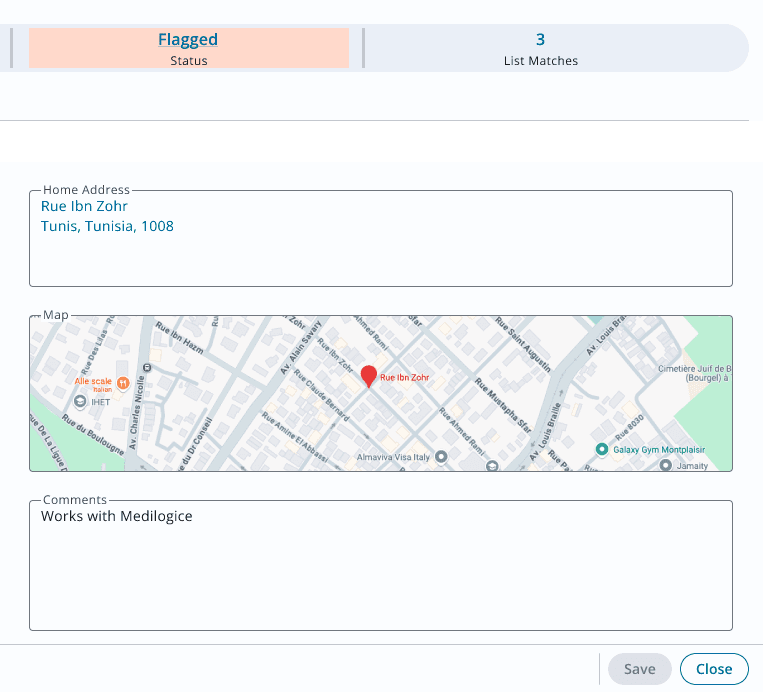
Challenge: Users manually copy Google Street View links and struggle with documentation
Solution: Integrated Google Maps locations
Validation: Thermofisher specialist: "that would make it so much easier"
3. Flexible Contact Management
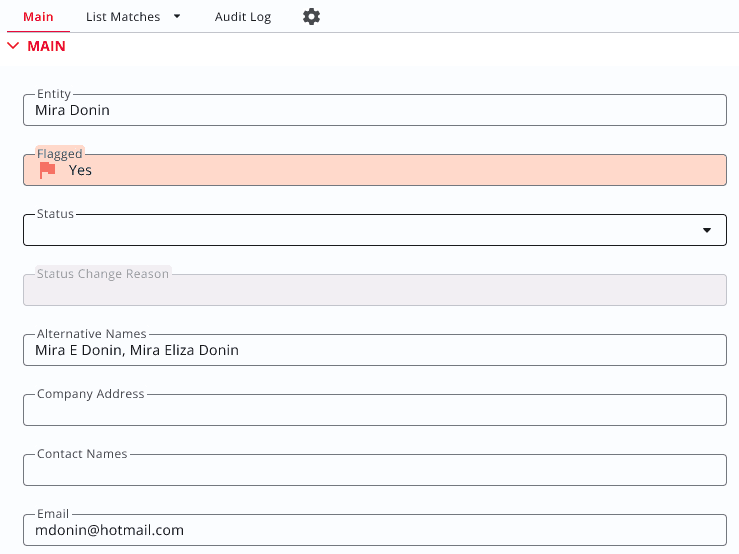
Challenge: Fraud prevention requires tracking multiple names per address
Solution: Multi-contact fields with comma-separated alternative names
Validation: Directly addresses Thermofisher workflow where bad actors cycle through different names
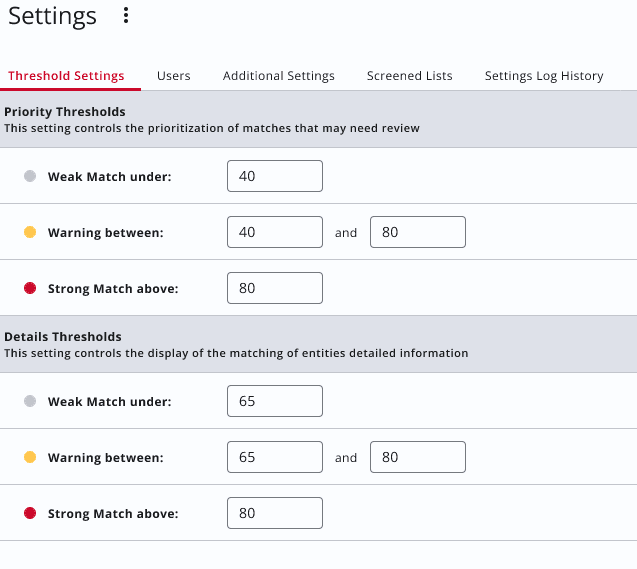
4. Configurable Matching Thresholds
Challenge: Different companies need different sensitivity levels
Solution: Admin-controlled threshold sliders for match confidence
Validation: Flash Global emphasized super-user only access for such controls
Customer Interviews
Validation
I sat down with two customers using our existing legacy screening software. These were informal sessions of 30-60 minutes to walk through the prototypes step by step and make sure our solution would be adding value.
Validation
Customer Interviews
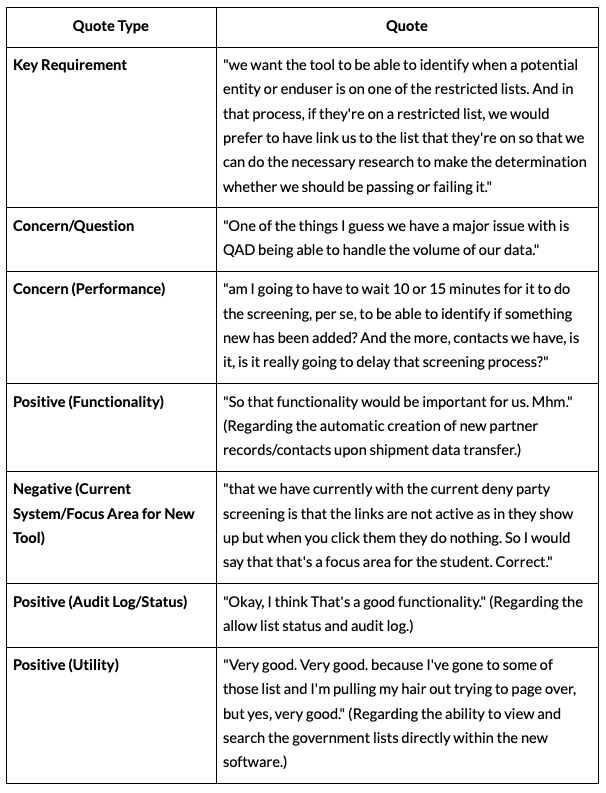
“I like how you can go into that setting and adjust it if you need to. I like that feature.”
Noemi Valezquez · Thermofisher
“...if they're on a restricted list, we would prefer to have link us to the list that they're on so that we can do the necessary research to make the determination whether we should be passing or failing it.”
Tameika Chalmers · Flash Global
Key Requirements:
Google Street View Link:
Customizable Thresholds:
“I think the street view would be awesome because what we do is ours we don't have that capability at least not yet. But what I do is when I'm reviewing those cases, I just copy and paste the Google maps or the street view hyperlink to and I just add it to the notes section..."
Noemi Valezquez · Thermofisher
Wireframes · Mockups · Final Product
Design Solutions
Daily Use
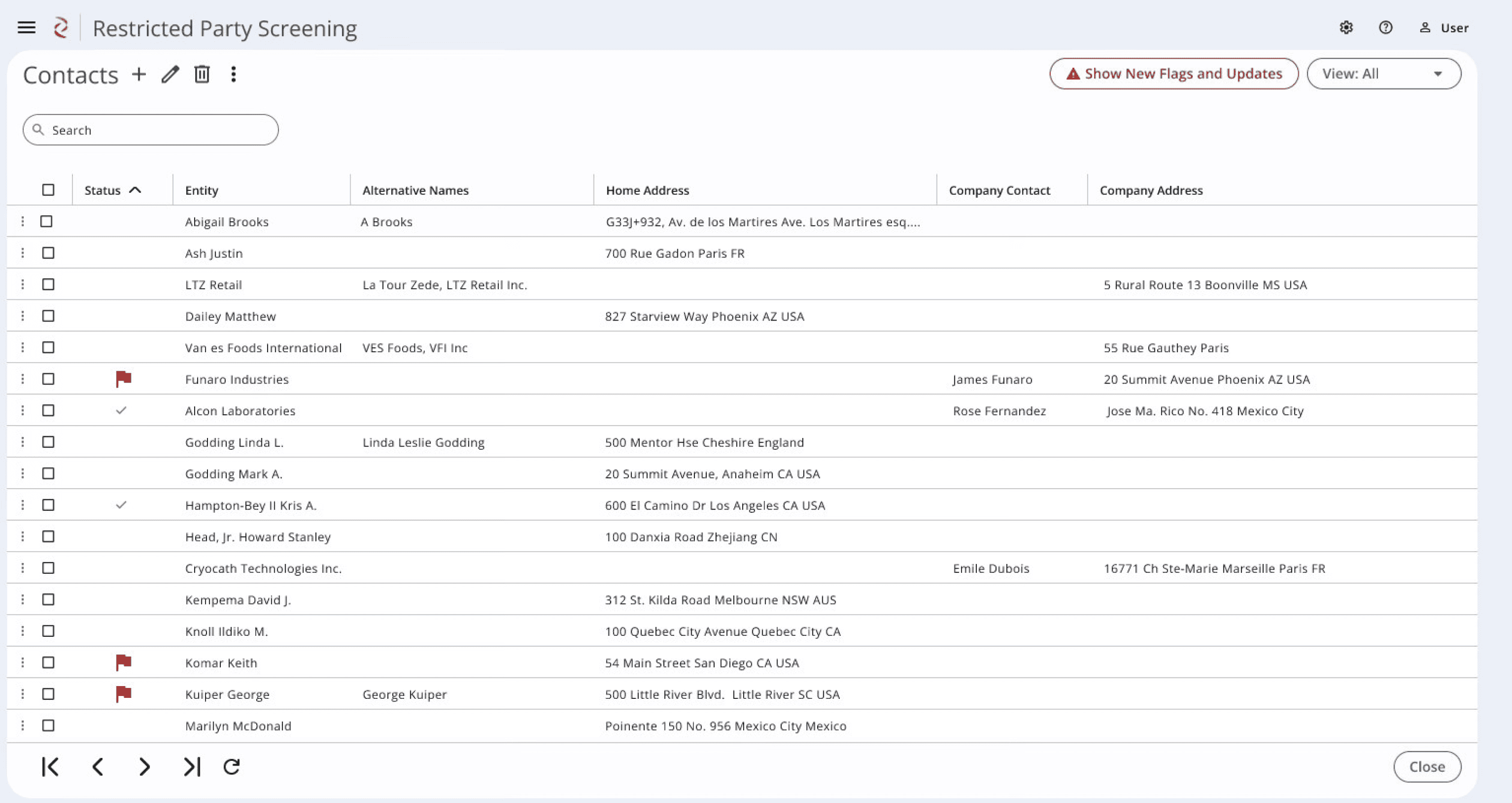
Contacts Screen
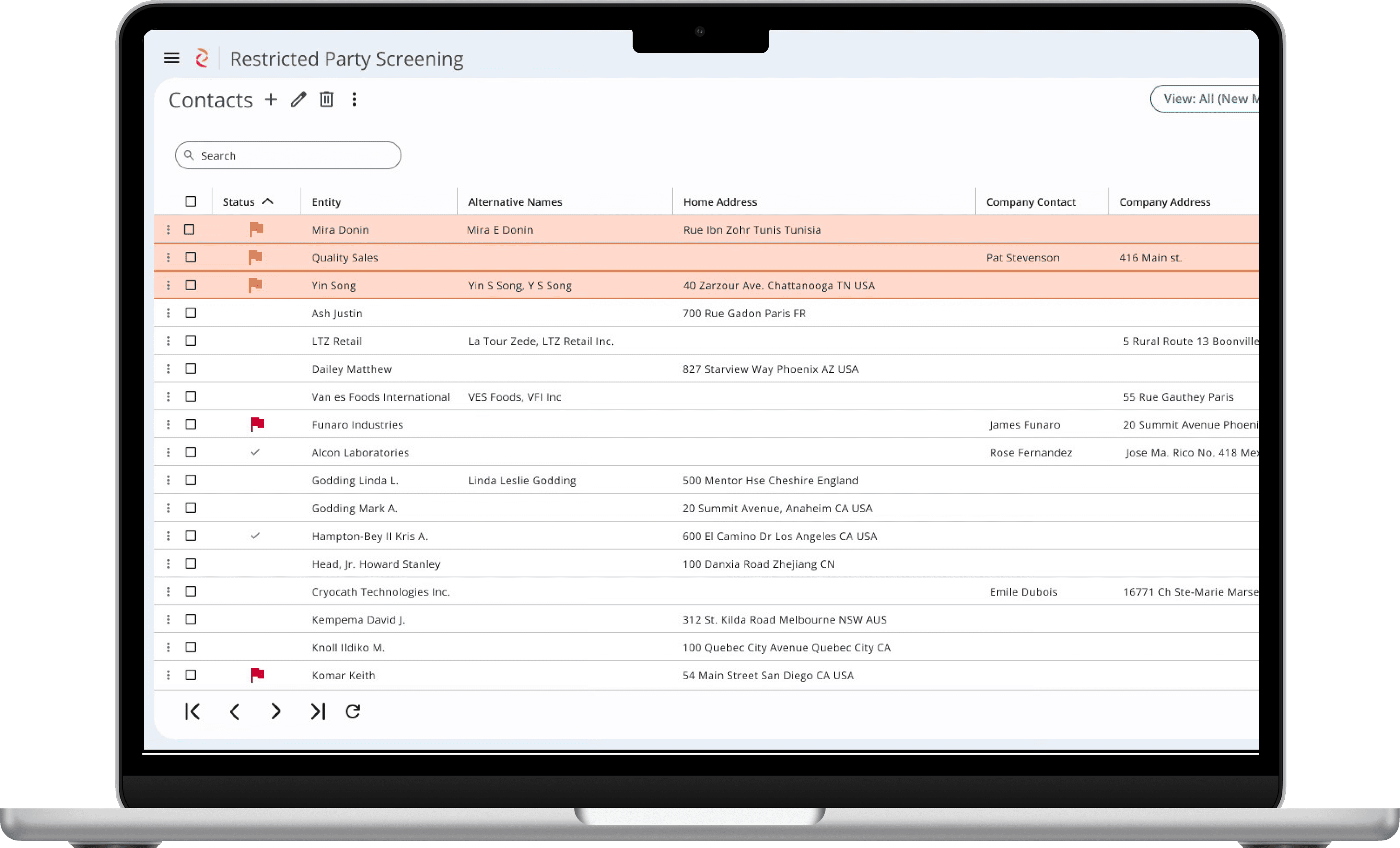
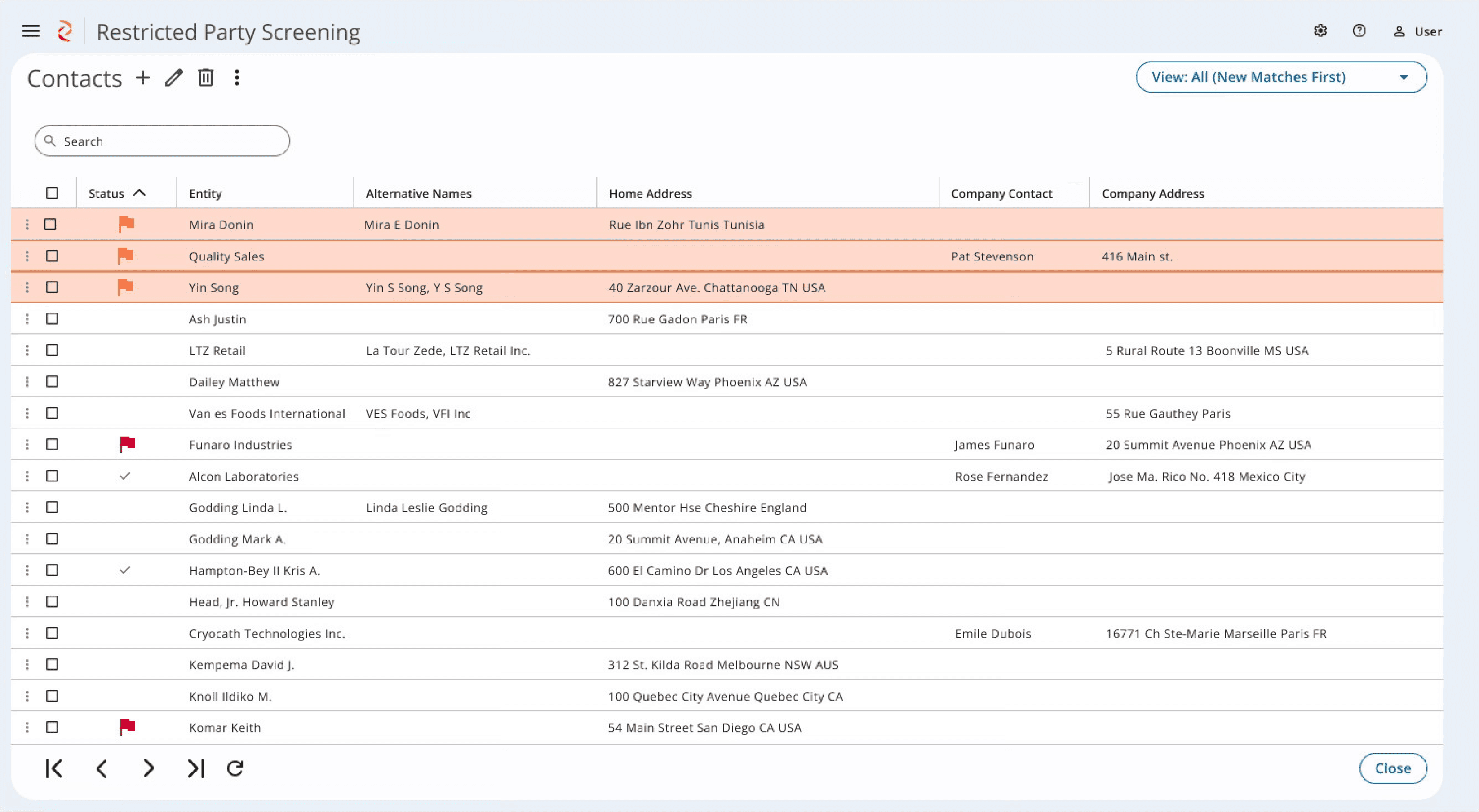
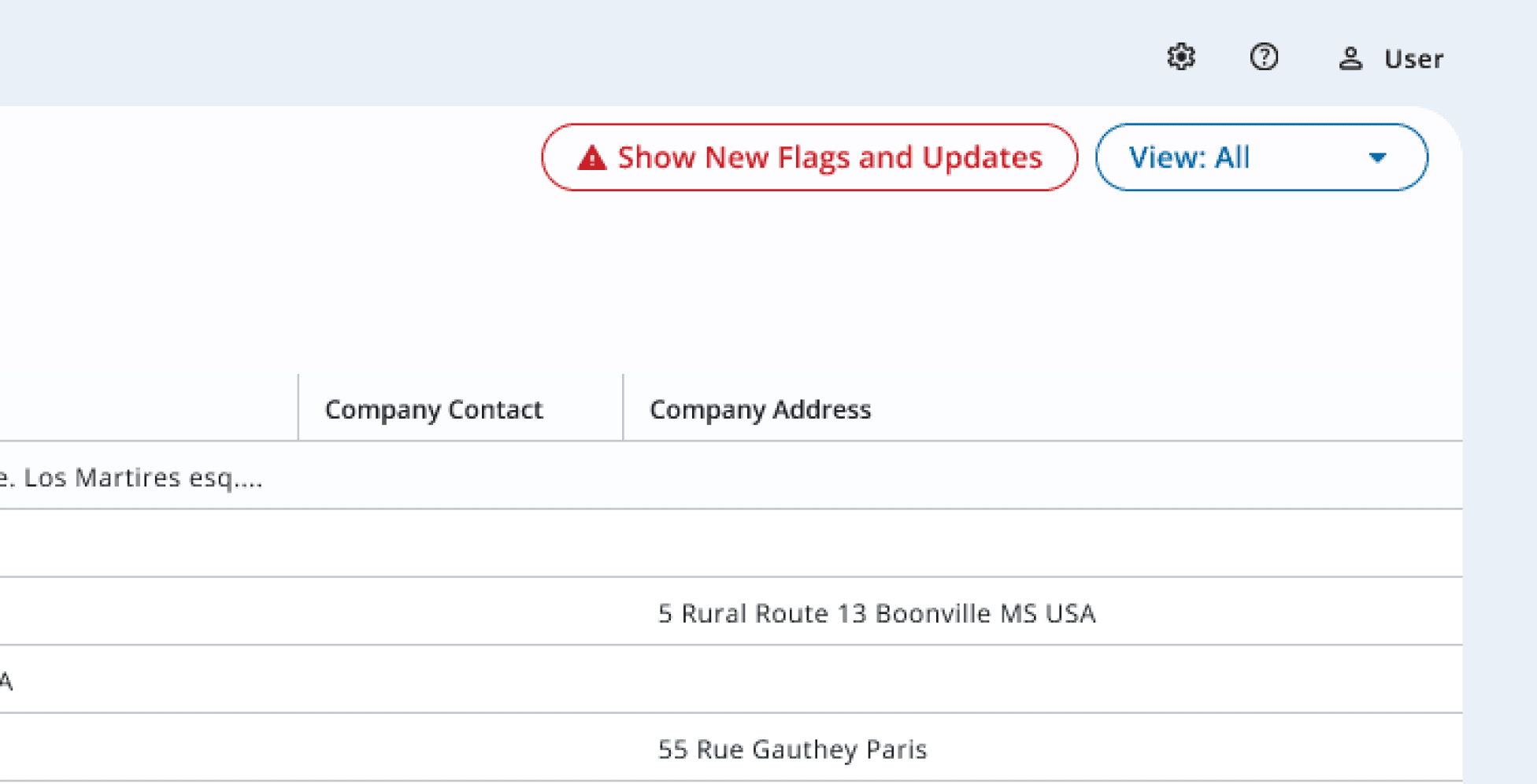
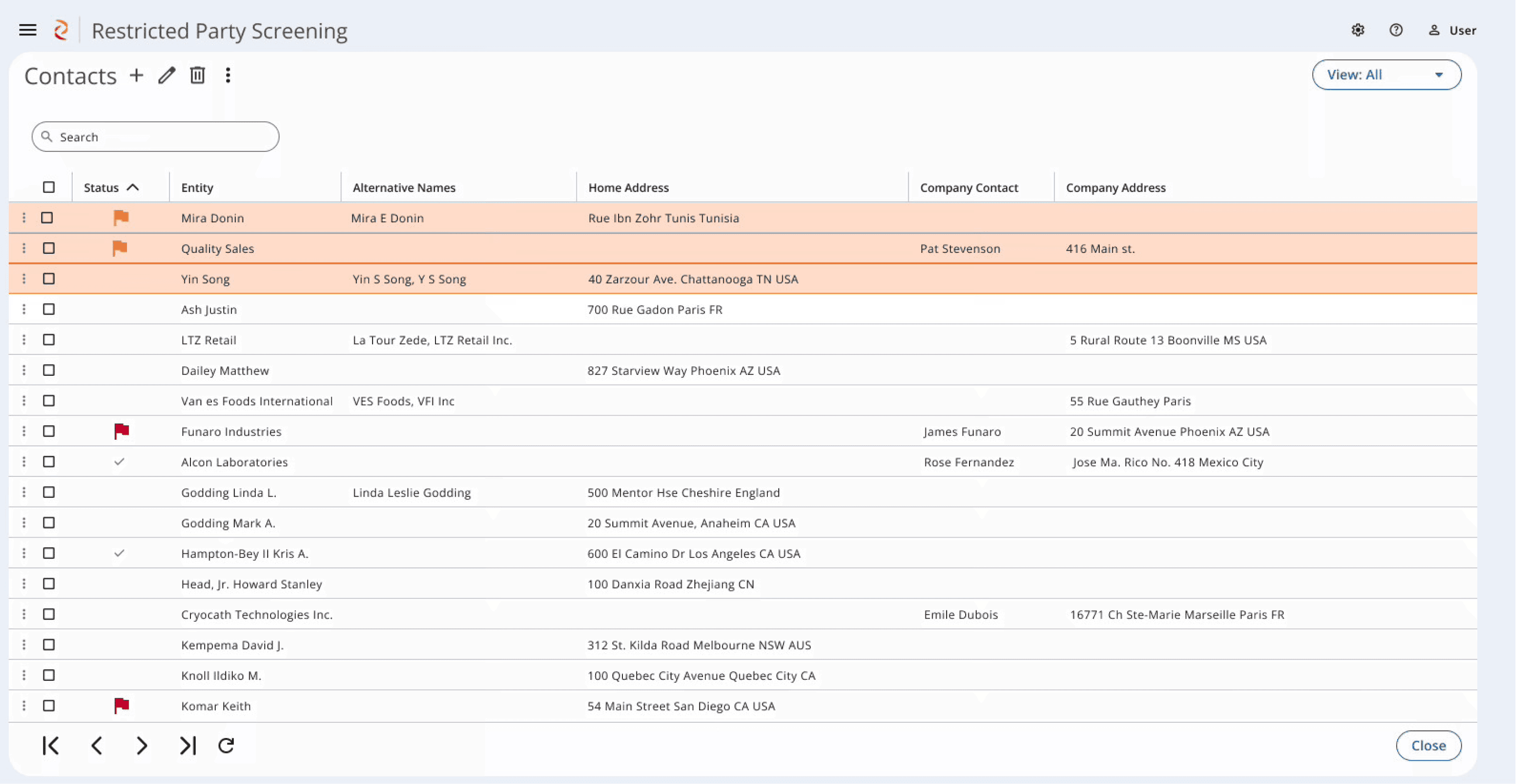
This is the primary screen that is used on a daily basis. Matches that were flagged for review are shown at the top. A filter on the top right allows the user to filter the contacts to only see Flagged contacts, Denylisted contacts, etc.
Clear visual indicators
Newly flagged matches appear at the top of the list with an orange highlight to show a recent change and an orange flag for the possible DPL list match
Red flags indicate that a Contact was evaluated and is denylisted
Grey checkmarks indicate a Contact was evaluated and NOT denylisted
Matches can be filtered to view certain statuses - view all denylisted individuals
2
3
1
4
Continuous Screening
Matching - Continuous
A huge enhancement to the previous legacy solution was the continuous screening capabilities. When users enter the program, it will already show them the updated list with any new matches. If they are currently using the program, I designed in a button notification that allows them to click and refresh the list with the latest matches at the top.
Highlighting what is important
Show new flagged matches appears immediately when new matches are identified so users are never taken off guard
1
Daily Use
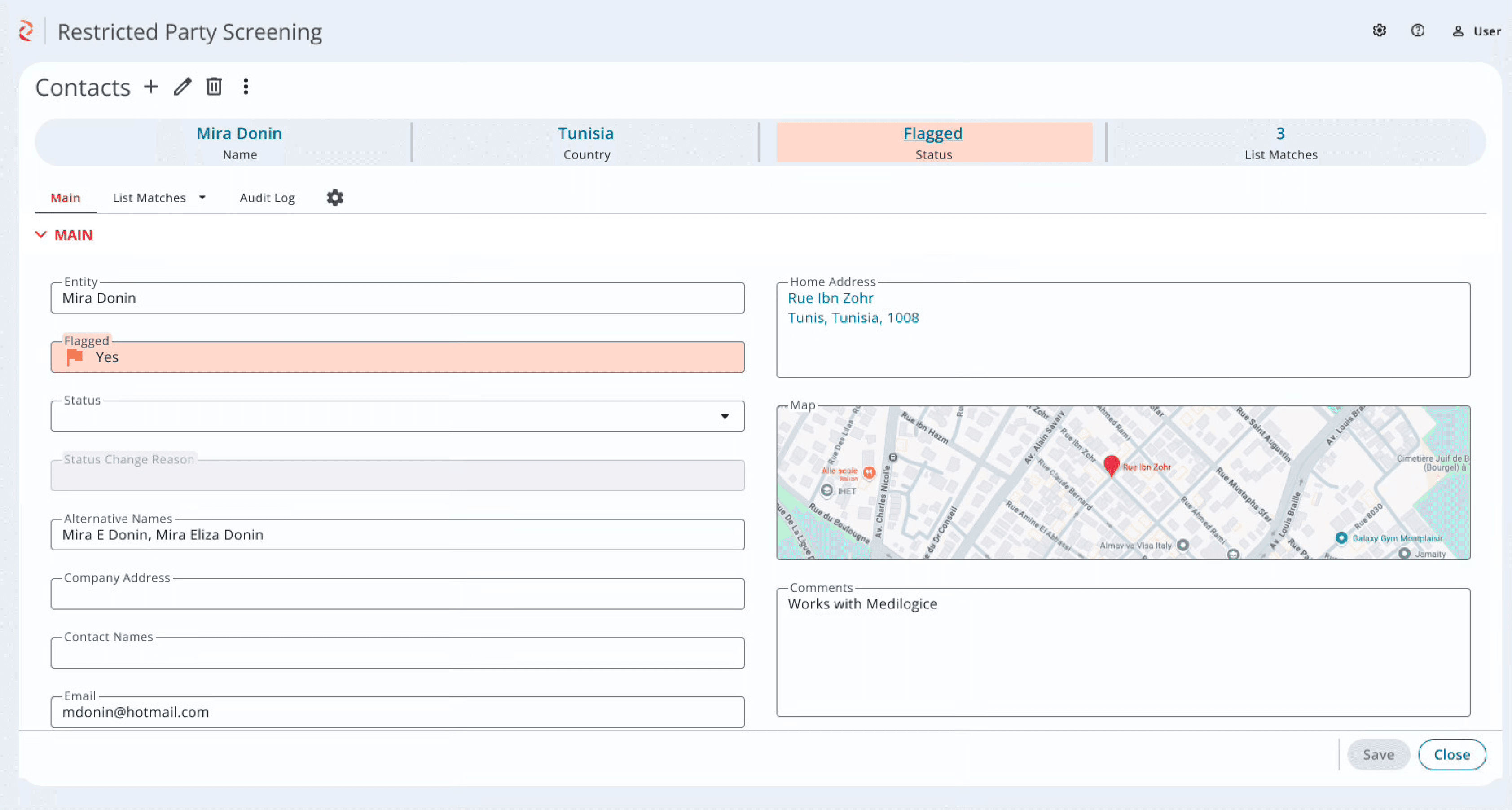
Maintaining Contacts
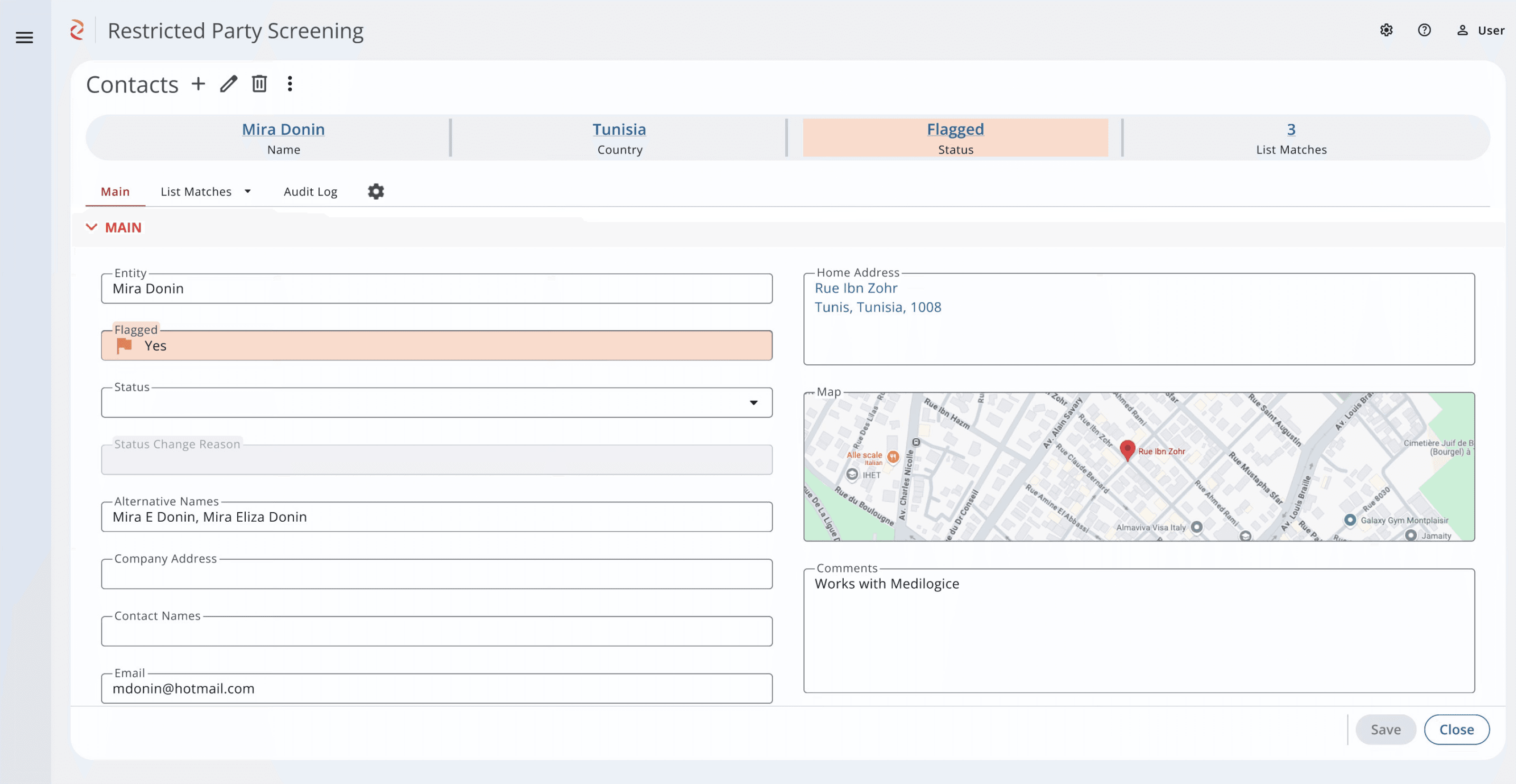
Clicking to enter a contact allows for editing and review. Here they can learn more about a contact, review the contact’s details, and make any necessary edits. They can also review the flagging details.
Information at a glance
Status fields maintain color indicators to clearly show status
Comma separated lists were added due to customer feedback as contacts might use multiple names to avoid being caught by RPS systems
Google Maps inclusion creates visual interest and allows for quick visual analysis of address
1
2
1
3
Daily Use
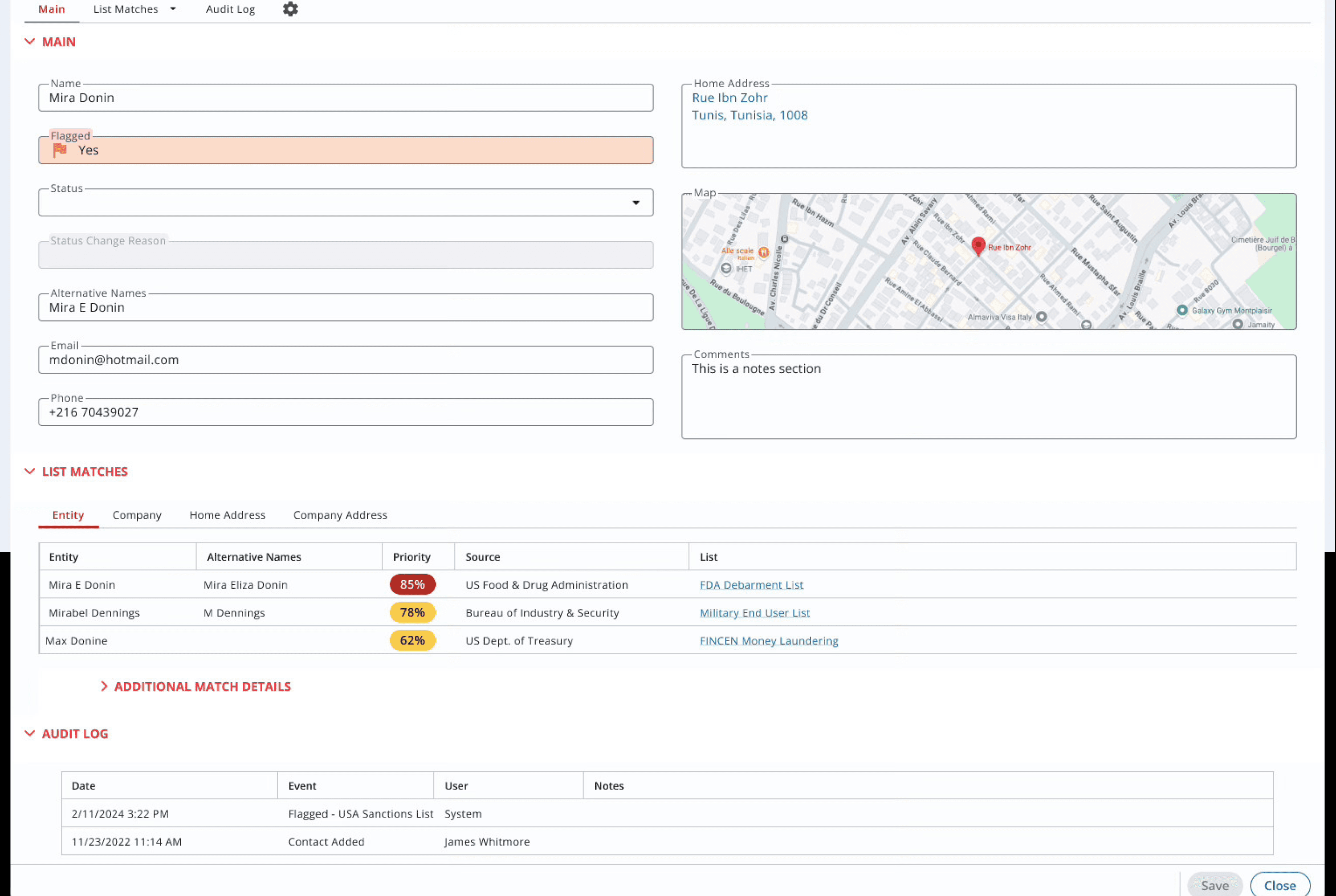
Empowering the user
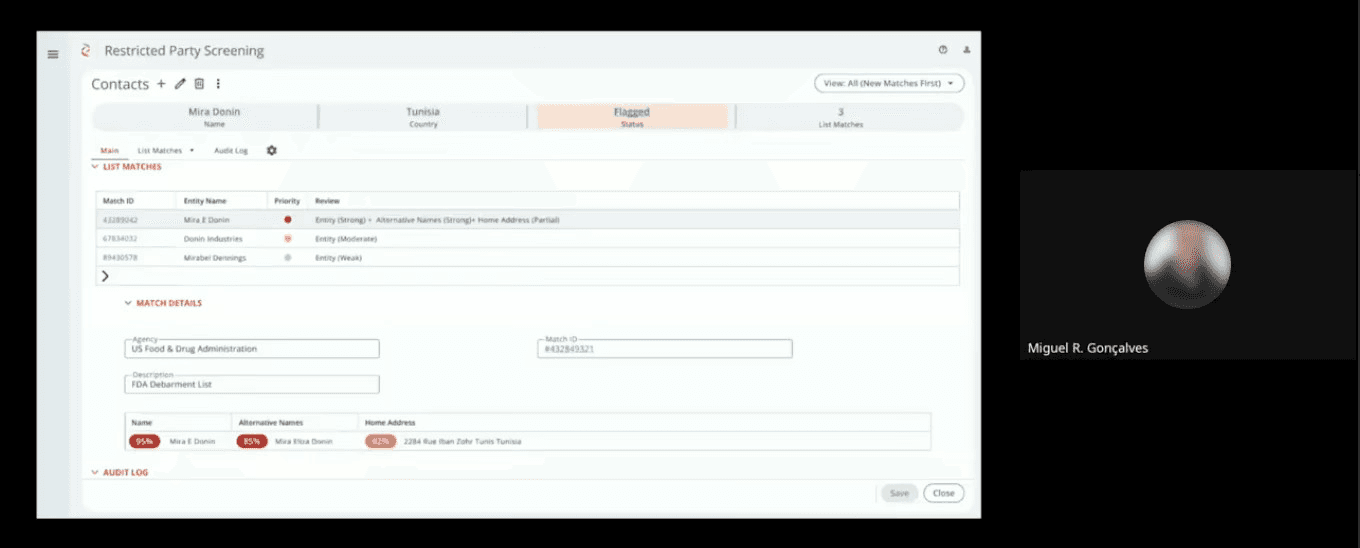
A color based system, which is set by the customers based on their own administrative thresholds, indicates the likelihood of the match.
Audit log creates a regulatory trail so customers can verify changes and evaluations made
Grid includes link to the government DPL list on the web so user can dive into the details.
1
2
Matching - Review
Because of the regulatory issues, we had to be careful to provide information for the users to make their own determination on the matches. For this reason I designed a two step flow. Users are given basic matching info in the first grid, and in the second grid they can dive deeper to understand what matched and make a determination whether or not the contact should be barred.
3
Secondary Use Cases
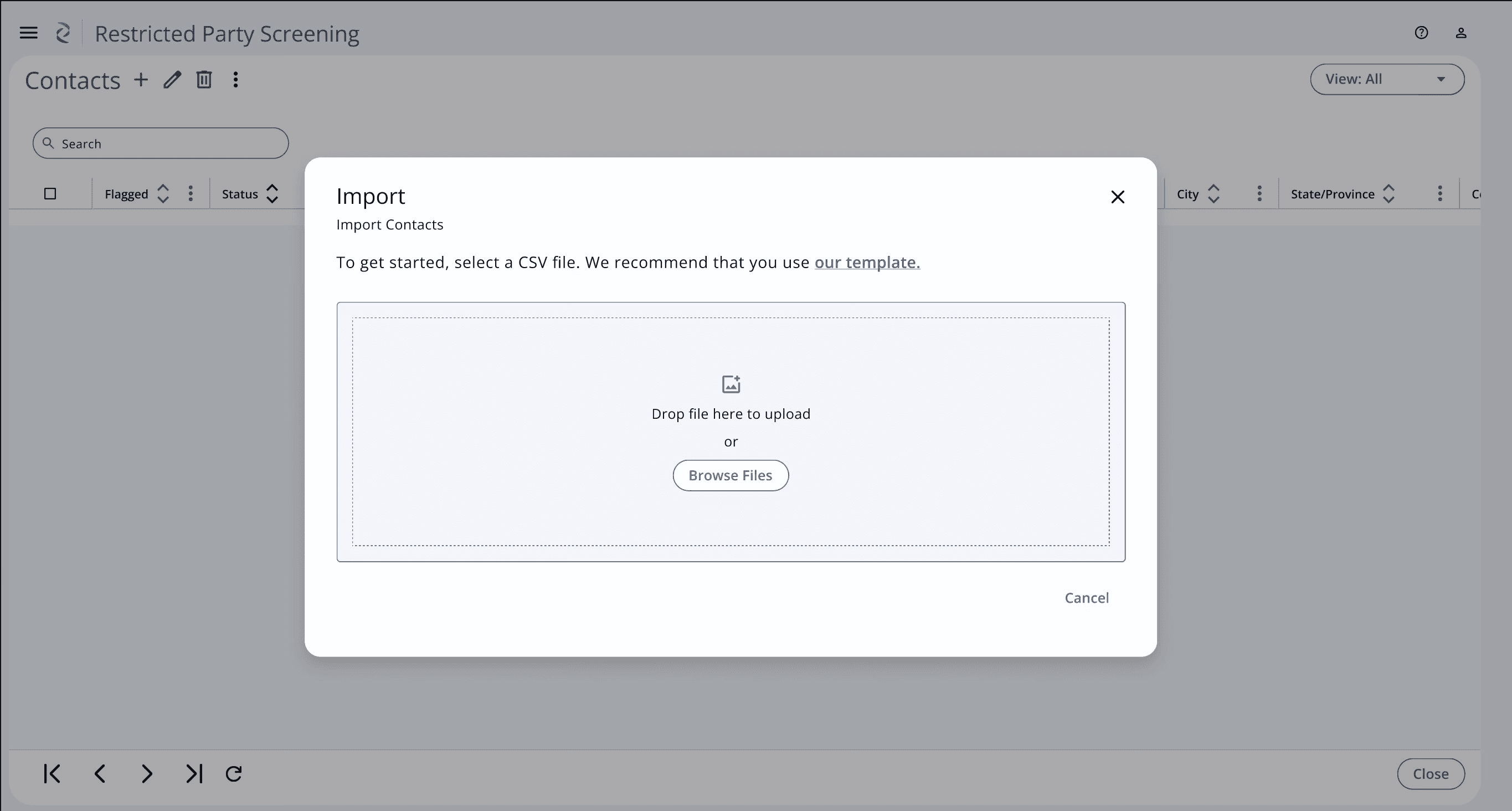
Import
Occasionally users may need to add a list of contacts or upload a new or revised list.
Smooth data transfer
In addition to the industry standard upload modal, we have included a downloadable template so users don’t need to guess at how to format the data.
1
Secondary Use Cases
Admin
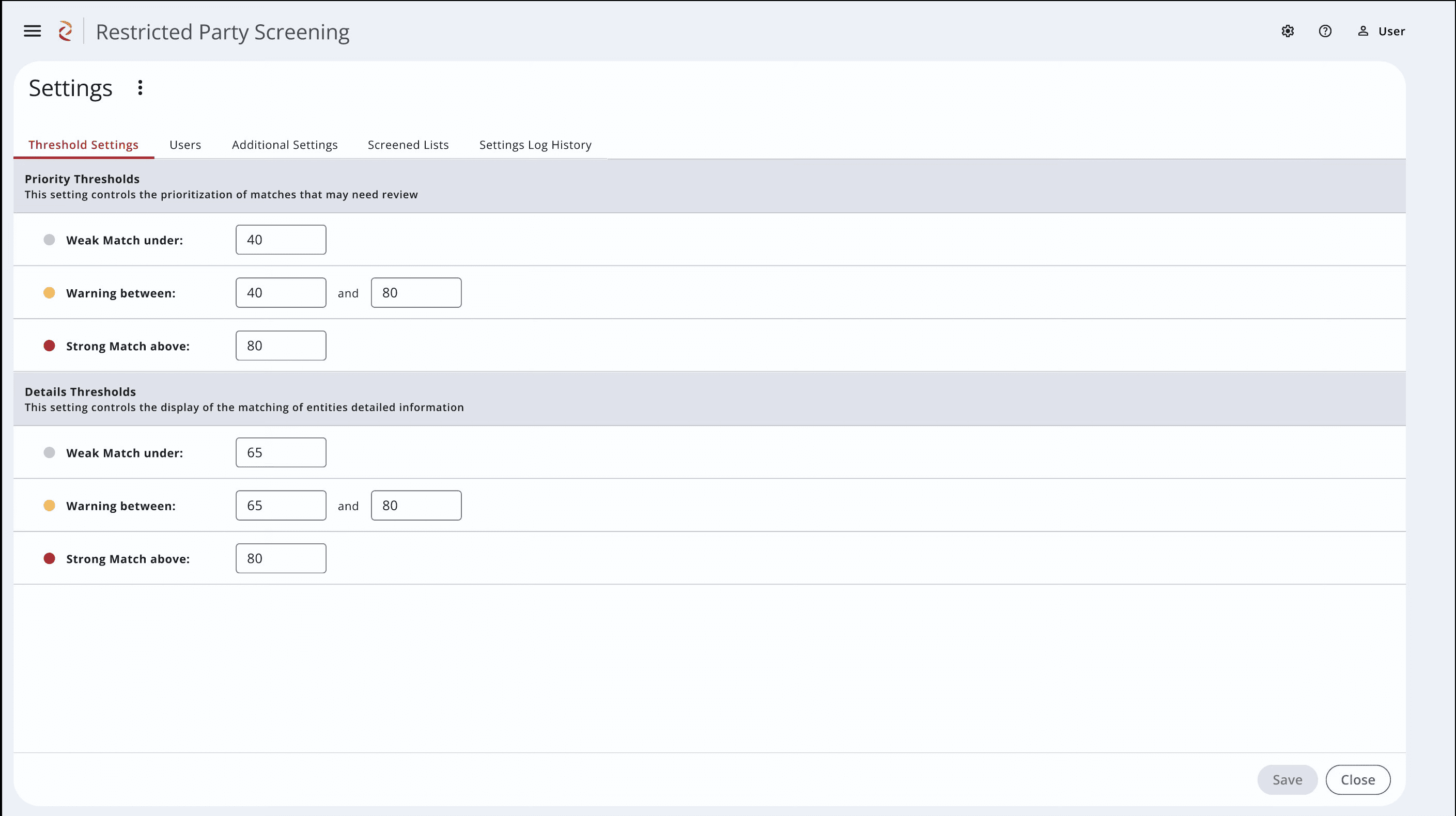
Incorporated into the software were many admin related functions. As the customers had indicated in the interviews, it was important to be able to adjust their own thresholds for matching and flagging. We also have functionality to be able to select which lists to match against.
Legal safeguards
Threshold slides allow the customer to decide what constitutes a strong or weak match, so that power is always in their hands and not in the system’s
Other regulatory additions were a log for tracking changes to the settings themselves and the ability to add and remove users
1
2
Early Adopter Feedback · Demonstrated Value · Establishing Metrics
Measuring Value
Customer Feedback - Early Adopters
User Management and Roles:
The new tool needs user management
functionality for inclusion in their quarterly User Access Reviews (UARs), including
commissioning and decommissioning users
Multi-Select Delete:
The customer asked for expanded Delete functionality, including multi-select and the ability to view previously deleted Contacts to reinstate them.
Google Maps:
Customer requested expanded Google Maps functionality, so that clicking on the map opened up Google Maps itself.
Feedback from our Early Adopter customer has been extremely positive. They only had limited comments and suggestions which is a huge result.
Demonstrated Value
Time Saved:
Transform sluggish, overnight or manual checks into real-time automated alerts. We’ve eliminated the wait, turning a tedious bottleneck into an instant notification system.
Business Impact:
Customers can keep business operations flowing without having to stop and scan contacts before doing completing shipments or visiting sites.
Risk Mitigation:
New real time screening eliminates gaps and reduces risk of transacting with restricted parties before the system could flag them - saves the company from exposure to multi-million dollar regulatory fines and severe reputational damage.
Impact:
Delivered a high value timesaving regulatory tool that empowers users with clear controls and transparent workflows.
Metrics
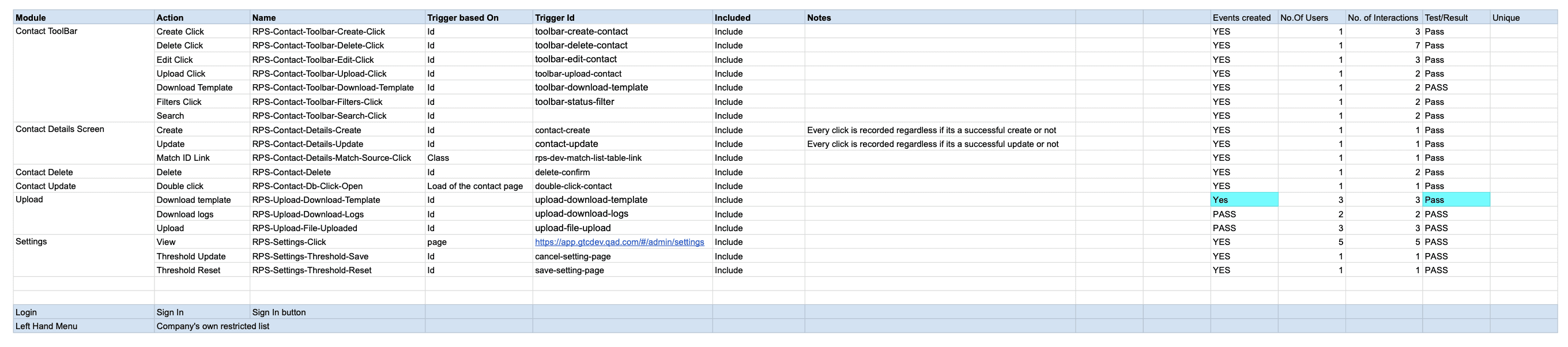
I requested the implementation of metric user tracking for future improvements.
As a B2B, historically we didn’t track metrics but we have been making a concerted effort to change that.
Lessons Learned · Next Steps
Reflections
Reflections
Learned:
When strict regulatory and legal ramifications are involved, there needs to be a a careful balance between usability and ownership of decisions.
Flagging: Important to make decisions about what counts to the customer
Next: Launch analytics, act on early adopter feedback